Plugins / Login as User
Login as User
Log in as any user or customer in one click to see exactly what they see, then switch back to your own account just as fast.
What it does
See your site through their eyes.
A customer says checkout looks wrong, or a member can’t find a page. Instead of asking for screenshots, log in as them, see exactly what they see, and switch back when you’re done. No passwords needed.
One click from anywhere
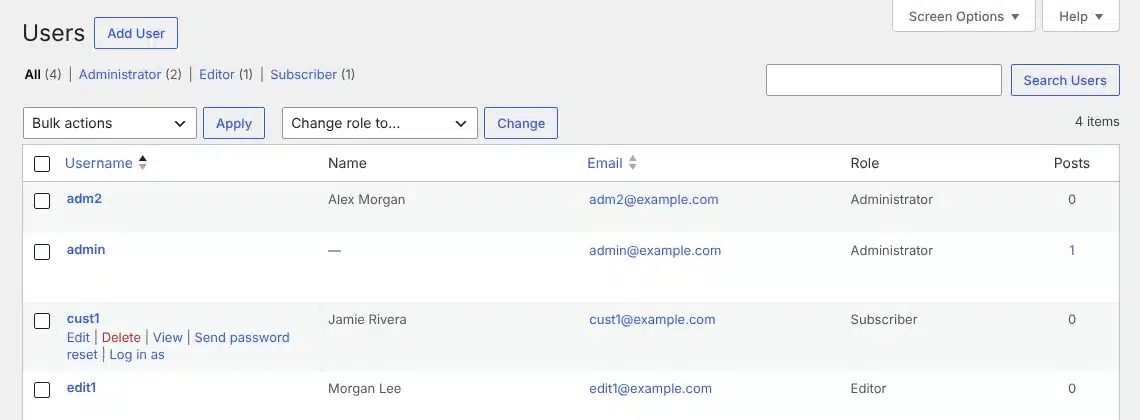
Log in as from the Users list, a user’s profile, or Log in as customer on a WooCommerce order.
Switch back instantly
A red Switch back button in the admin bar, plus a small bar at the bottom of the page when the theme hides the admin bar.
Lands in the right place
Staff go to the dashboard and customers to My Account or the home page. Or pick one.
Administrators protected
Logging in as another administrator is off unless you turn it on, and only administrators can do it.
Choose who can use it
Pick the roles that can switch. They still need permission to edit the user.
Activity log
See the last 100 switches: who, as whom and when.
How it works
Ready the moment it’s on.
1
Install it
Download it free and install it, or add it from The Vault.
2
Log in as someone
Hover a user under Users and click Log in as.
3
Switch back
Click Switch back in the admin bar or the bottom bar.
See it in action
See how it works.
Real screens from the plugin. Click any image to view it full size.
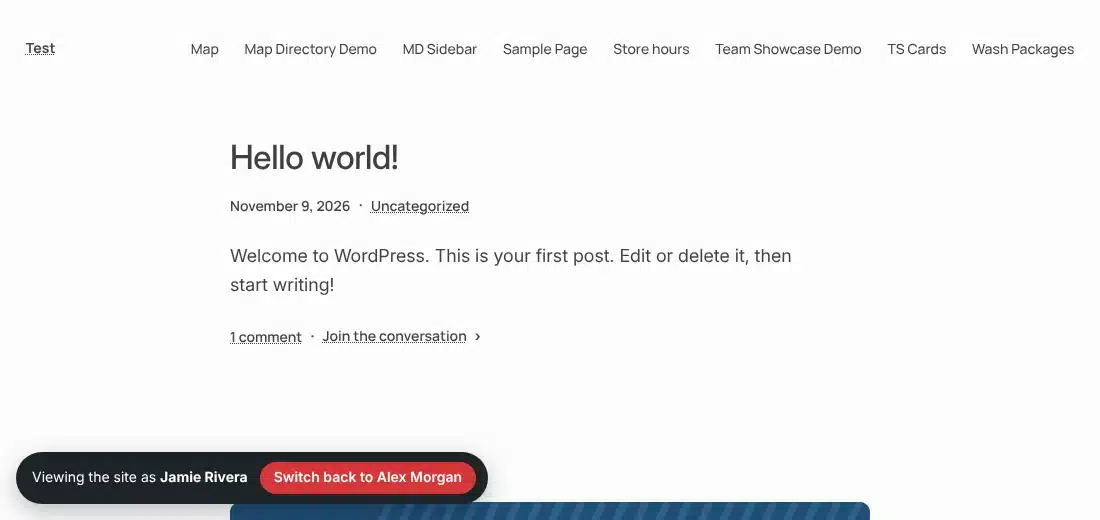
The bar customers see, with a one-click Switch back
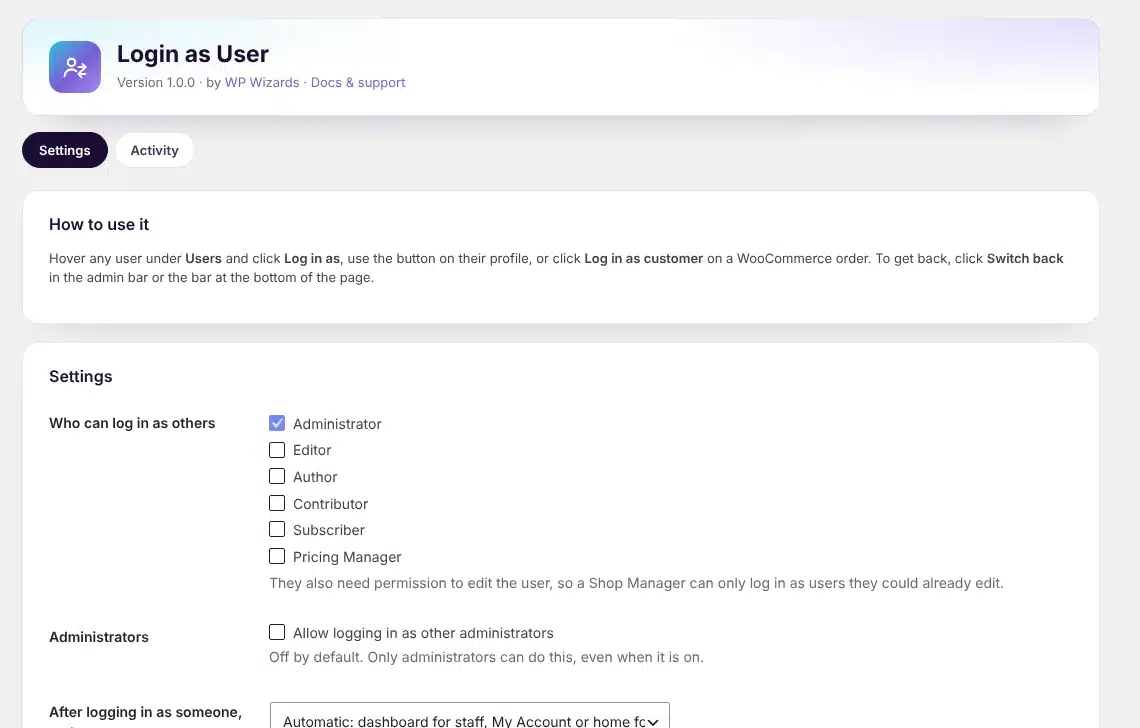
Settings: who can use it, administrators and where you land
Details
- Version
- 1.0.0
- Price
- Free
- Requires WordPress
- 6.2 or newer
- Requires PHP
- 7.4 or newer
- Works with
- Any WordPress site. WooCommerce orders get a Log in as customer button.
- Developer
- WP Wizards
- License
- GPL-2.0-or-later
Changelog
1.0.0 November 2026
- First release.
FAQ
Straight answers.
Does the user know I logged in as them?
No. They are not notified and their password does not change. The switch is recorded in the activity log.
Is it safe?
Every switch needs a security token, and the way back is a one-time key tied to your account in a secure cookie. Logging out ends the switch.
Can I log in as another administrator?
Only if you turn it on under Users > Login as User, and only administrators can do it.
How do updates work?
The plugin checks wpwizards.com for new versions and updates itself automatically, like any plugin from WordPress.org.
Get Login as User.
A free download with a quick $0 checkout. Updates arrive automatically inside WordPress.