Plugins / Approve & Deny
Approve & Deny for Gravity Forms
One-click Approve and Deny buttons for Gravity Forms entries, wired into your notifications and conditional logic.
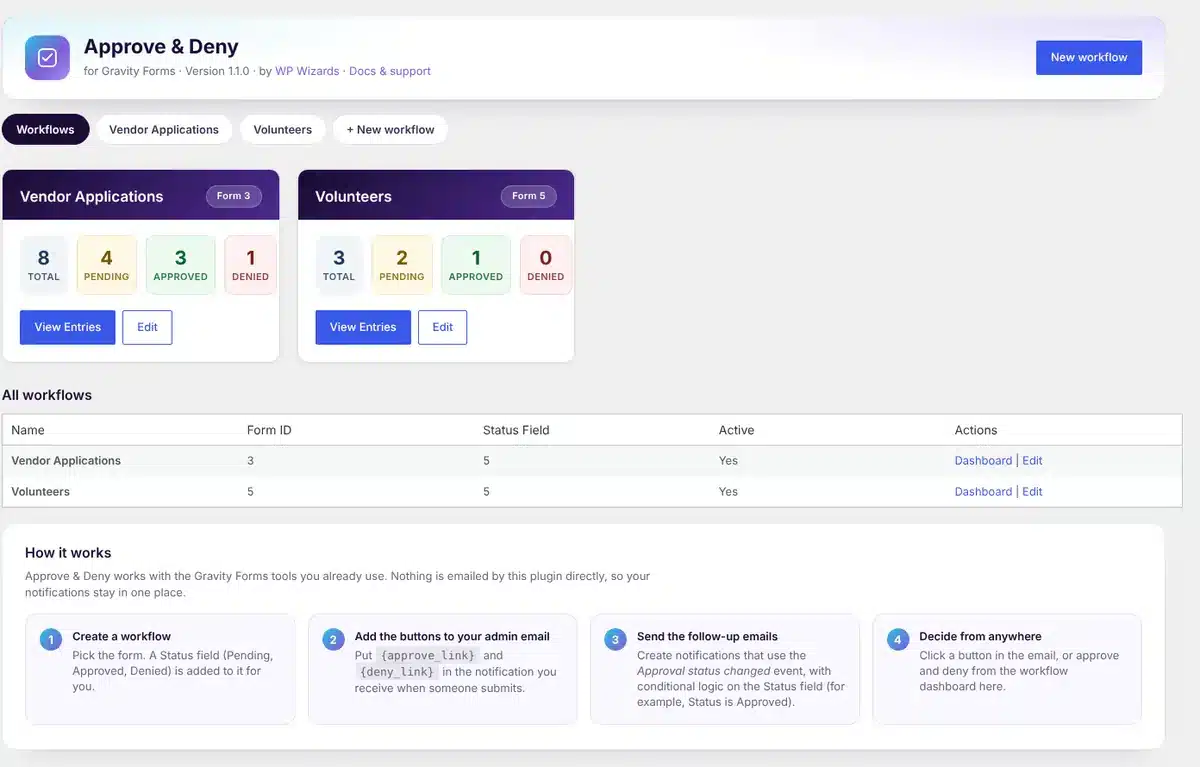
What it does
Decide in one click, right from your inbox.
Applications, vendor sign-ups, requests and anything else that needs a yes or no. Every decision fires a Gravity Forms notification event, so your follow-ups run on their own.
Buttons in your admin email
Add {approve_link} and {deny_link} to a notification and decide without logging in.
A Status field, added for you
Creating a workflow adds a Pending, Approved and Denied field to the form automatically.
Notifications do the rest
Each decision fires the Approval status changed event. Use conditional logic on the Status field to send the right email.
A dashboard per workflow
Pending, Approved and Denied counts with filters, and Approve, Deny or Reset on every entry.
As many workflows as you need
Run separate workflows for different forms, each in its own menu.
Dashboard widget
See every workflow’s counts on the WordPress dashboard.
How it works
Set up in three steps.
1
Create a workflow
Approve & Deny → New workflow, then pick the form.
2
Add the buttons
Put {approve_link} and {deny_link} in your admin notification.
3
Send the follow-ups
Create notifications on the Approval status changed event with conditions on Status.
See it in action
See how it works.
Real screens from the plugin. Click any image to view it full size.
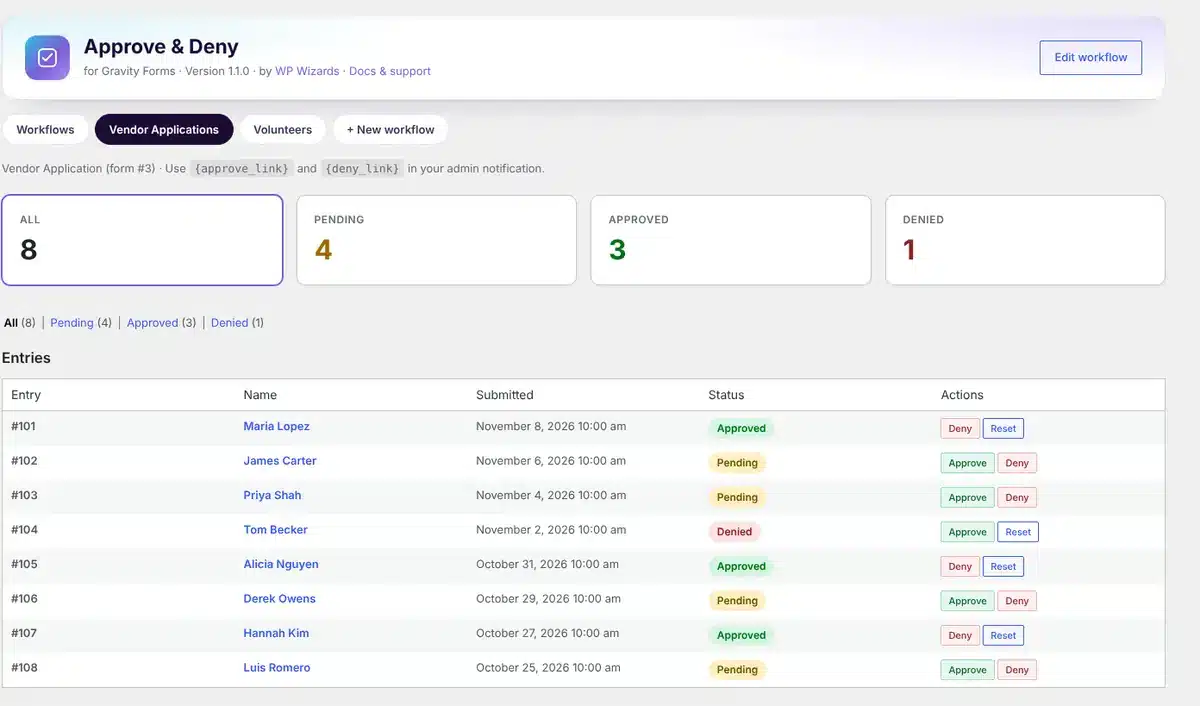
A workflow dashboard with Approve and Deny on each entry
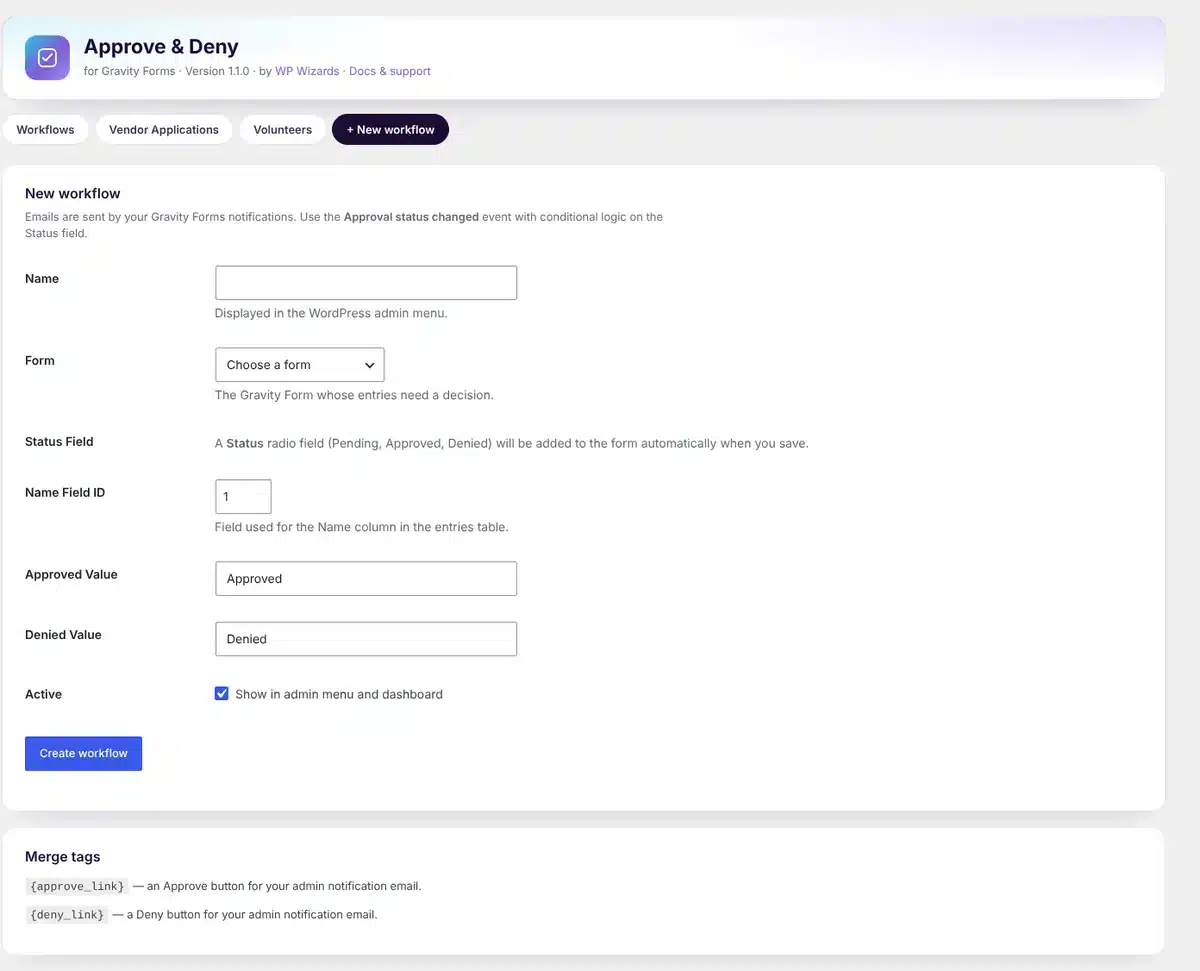
Creating a workflow for a form
Details
- Version
- 1.1.0
- Price
- Free
- Requires WordPress
- 6.2 or newer
- Requires PHP
- 7.4 or newer
- Works with
- Any Gravity Forms license
- Developer
- WP Wizards
- License
- GPL-2.0-or-later
Changelog
1.1.0 November 2026
- New dashboard design with a setup guide.
- Pick the form from a list instead of typing its ID.
- Colored Approve and Deny buttons.
- Automatic updates from wpwizards.com.
FAQ
Straight answers.
Do I need Gravity Forms?
Yes. It works with any Gravity Forms license.
Does it send emails itself?
No. Your Gravity Forms notifications send everything, so you keep full control of the wording and recipients.
Can I change a decision?
Yes. Reset an entry to Pending from the workflow dashboard and decide again.
How do updates work?
The plugin checks wpwizards.com for new versions and updates itself automatically, like any plugin from WordPress.org.
Get Approve & Deny.
A free download with a quick $0 checkout. Updates arrive automatically inside WordPress.