Plugins / Announcements
Announcements
Schedule announcements with start and end dates and show them as a banner bar on every page, or anywhere with a shortcode.
What it does
Say it once. It shows up, then goes away on time.
Holiday hours, closures, sales and event reminders without editing a page. Set the dates and forget about it.
Start and end dates
Each announcement runs between the dates you pick, in your site’s time zone. Leave the end date empty to keep it running.
Banner on every page
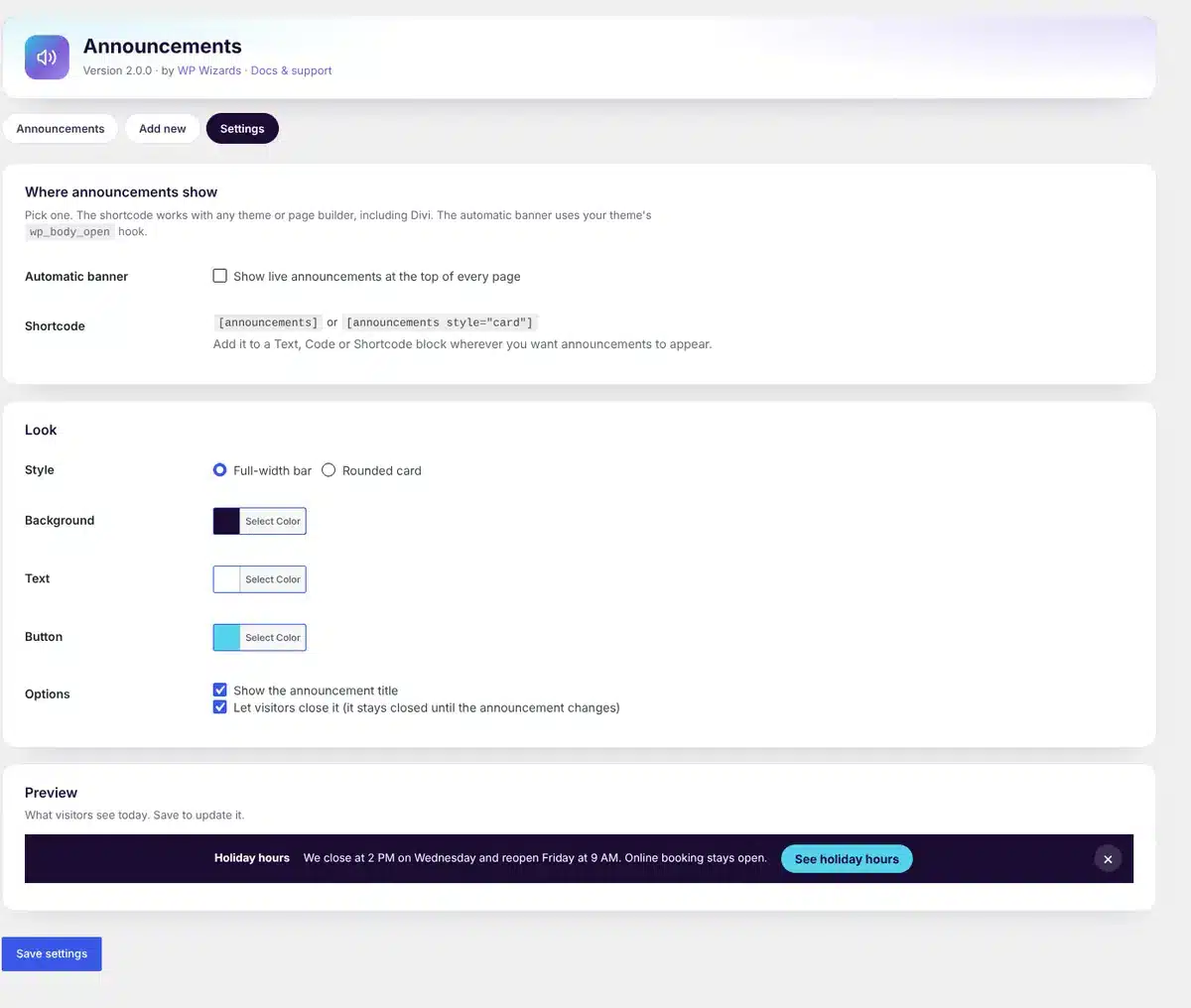
Turn on the automatic banner and live announcements show at the top of every page.
Or place it anywhere
Drop [[announcements]] into a Divi module, a block or a widget. Choose a full-width bar or a rounded card.
Optional button
Add a button with its own text and link to each announcement. Links to other sites open in a new tab.
Your colors
Pick the background, text and button colors and see a live preview before you save.
Visitors can close it
A small close button hides it for that visitor until you post something new.
How it works
Up and running in a minute.
1
Write it
Announcements → Add announcement. A title, a line or two, and an optional button.
2
Set the dates
Pick when it starts and ends. Same date twice for a one-day notice.
3
Choose where it shows
Turn on the banner for every page, or place the shortcode where you want it.
See it in action
See how it works.
Real screens from the plugin. Click any image to view it full size.
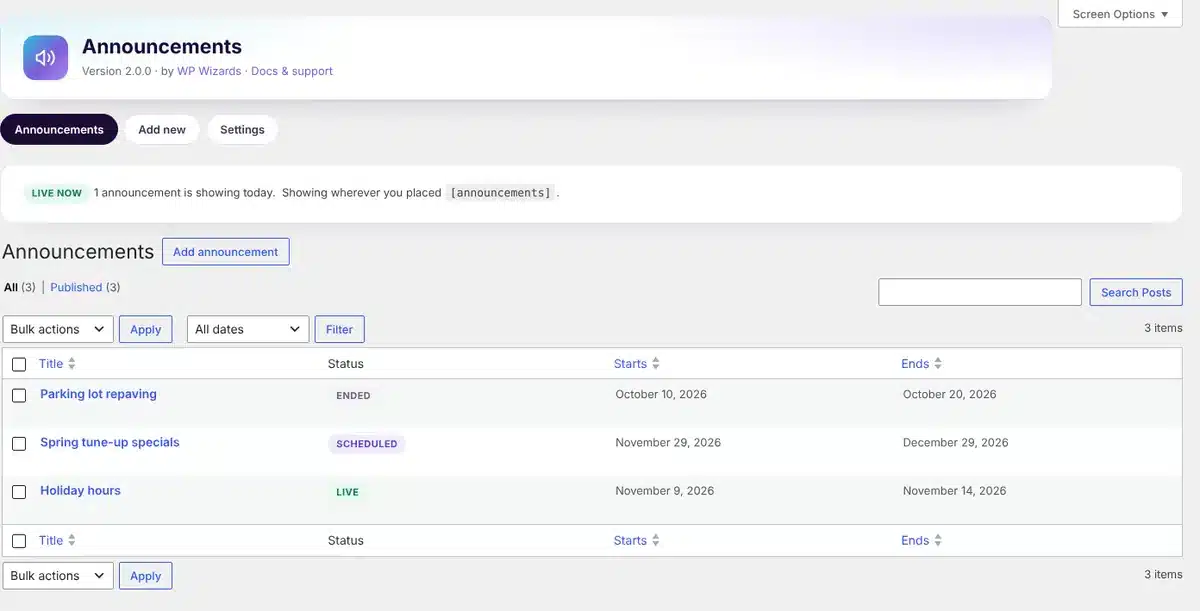
Every announcement with its status: Live, Scheduled or Ended

The banner visitors see, with an optional button
Details
- Version
- 2.0.0
- Price
- Free
- Requires WordPress
- 6.2 or newer
- Requires PHP
- 7.4 or newer
- Works with
- Divi, block editor, any theme
- Developer
- WP Wizards
- License
- GPL-2.0-or-later
Changelog
2.0.0 November 2026
- New settings screen with live preview, button and style options.
- Optional automatic banner on every page.
- Visitors can close an announcement.
- Status column shows Live, Scheduled and Ended.
- Announcements without an end date keep running.
- Automatic updates from wpwizards.com.
FAQ
Straight answers.
Does it work with Divi?
Yes. Put the shortcode in a Text or Code module. The automatic banner works with any theme that supports wp_body_open, which most modern themes do.
What happens when an announcement ends?
It stops showing the next day and stays in your list marked Ended, so you can reuse it next year.
Can I run more than one at a time?
Yes. Live announcements stack in the same bar, newest first.
How do updates work?
The plugin checks wpwizards.com for new versions and updates itself automatically, like any plugin from WordPress.org.
Get Announcements.
A free download with a quick $0 checkout. Updates arrive automatically inside WordPress.