Plugins / Map Directory
Map Directory
A searchable directory of providers, members or businesses on a Google map, with category filters, search and a grid or sidebar layout.

What it does
Help people find the right fit, close by.
Therapists, member businesses, locations, partners: Map Directory puts your listings on a Google map with search and category filters, so visitors can narrow it down in seconds.
Two layouts
Map on top with a grid of listings below, or a scrolling list beside the map.
Category filters
Filter buttons (pick several) or a dropdown. Link straight to a category with ?category=slug.
Pins placed for you
Pins come from each listing’s address, or a city like “Atlanta, GA”. Street addresses can stay private.
Virtual listings
An optional Virtual filter for remote listings, and virtual-only listings can stay off the map.
Featured and sorted
Star featured listings, set a sort priority and turn on full listing pages if you want them.
Call it anything
Rename everything to Providers, Businesses or Members. It works as a searchable grid even before you add Google keys.
How it works
Up and running in minutes.
1
Add your keys
Under Directory > Settings, add a Google Maps browser key and a Geocoding key, then pick a layout and colors.
2
Add listings
Create categories, then add listings with an address, contact details and a button.
3
Place the shortcode
Put [[map_directory]]
See it in action
See how it works.
Real screens from the plugin. Click any image to view it full size.
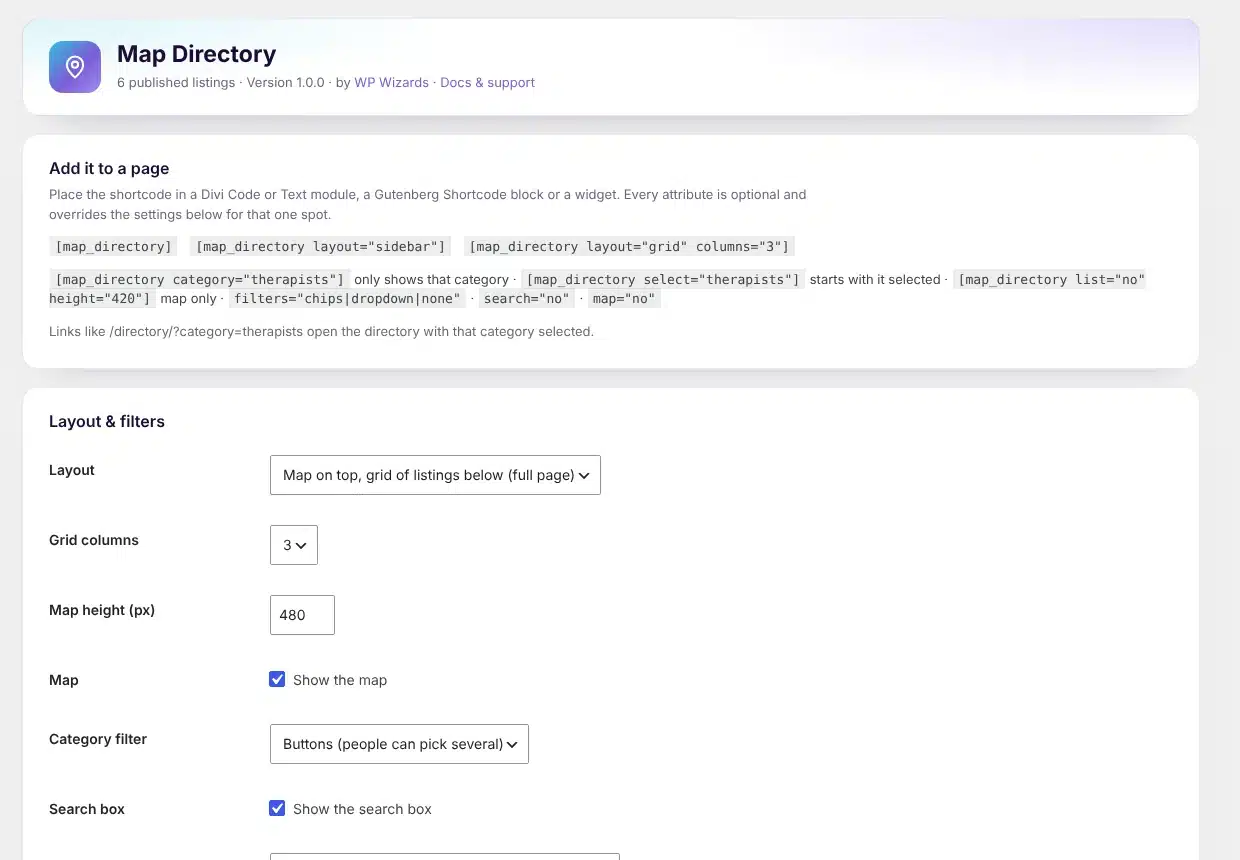
Directory settings with ready-to-copy shortcode examples
Details
- Version
- 1.0.0
- Price
- From $49.00/year
- Requires WordPress
- 6.2 or newer
- Requires PHP
- 7.4 or newer
- Works with
- Google Maps JavaScript and Geocoding APIs (your own keys)
- Developer
- WP Wizards
- License
- GPL-2.0-or-later
Changelog
1.0.0 November 2026
- First release.
FAQ
Straight answers.
Do I need a Google Maps key?
For the map and automatic pins, yes: a browser key for the Maps JavaScript API and a server key for the Geocoding API. Without keys it still works as a searchable grid.
Can I change the layout on one page?
Yes. Shortcode attributes like layout="sidebar", columns="3", map="no" or category="slug" override the settings for that spot.
Can other plugins add listings?
Yes. Developers can create and update listings with WPWMD_Listings::upsert(), which suits paid listings and membership sites.
How do updates work?
The plugin checks wpwizards.com for new versions and updates itself automatically, like any plugin from WordPress.org.
I am a WP Wizards client. Do I pay for it?
No. Every plugin is included while you have an active service with us.
Pricing
Get Map Directory.
A yearly license with every update and support from our team. If it lapses, the plugin keeps working; it just stops updating until you renew.
Rather pay once? The lifetime license covers one site forever, with every update, for a single payment.
WP Wizards clients get it free with their service.
Or get every WP Wizards plugin, forever, on unlimited sites: $499.00 one time. All-Access →