Plugins / monday.com Connector
monday.com Connector for Gravity Forms
Send Gravity Forms submissions to your monday.com boards. Map fields to columns, avoid duplicate items, attach uploaded files, and never lose a lead when monday.com is down.
What it does
Every form submission, on the right board.
When someone fills in a form, an item appears on the monday.com board you chose, with its columns already filled in. No copy and paste, no Zapier bill, no missed leads.
Map fields to columns
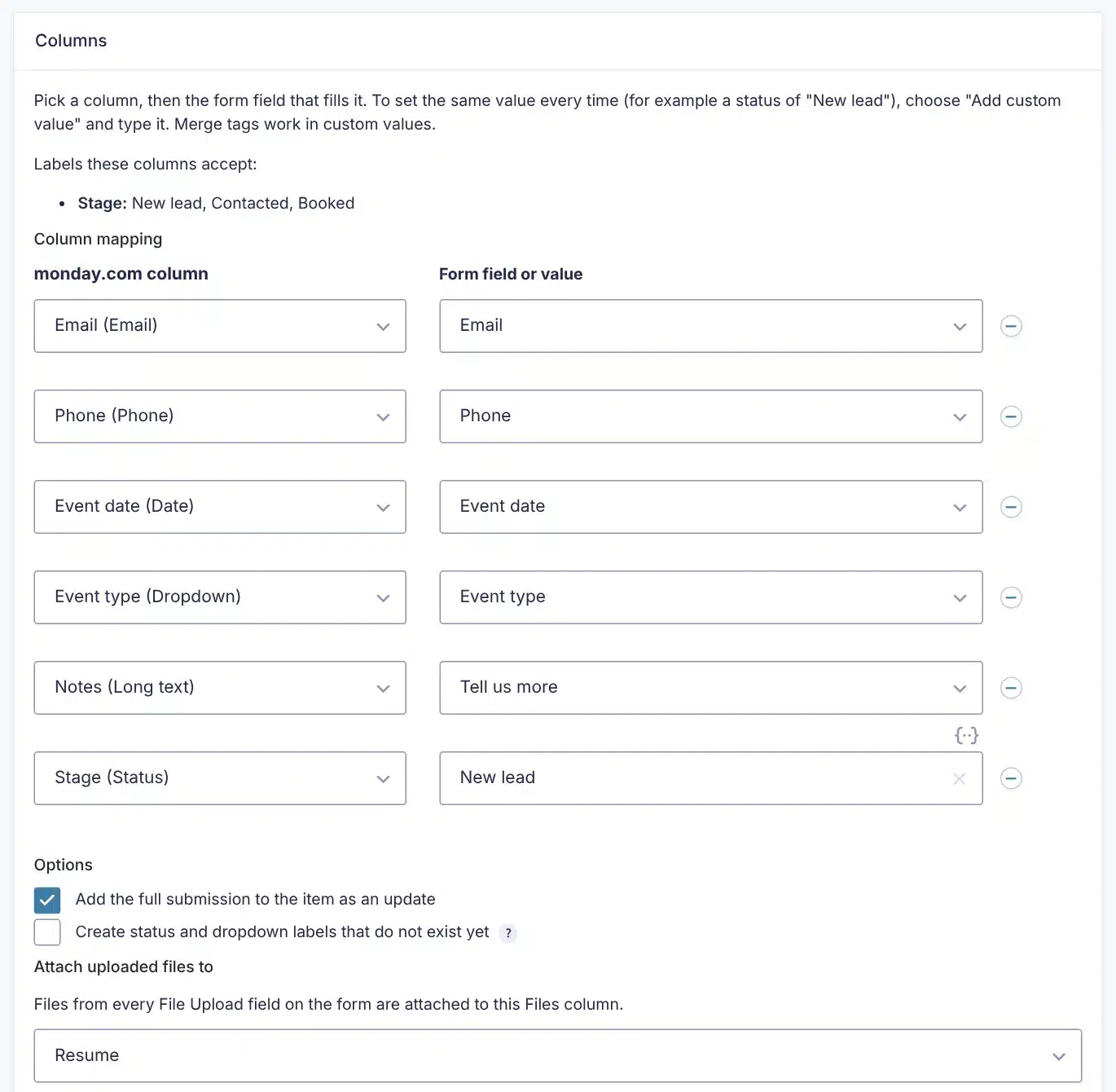
Fill text, long text, email, phone, status, dropdown, checkbox, date, numbers and link columns from form fields, or set a fixed value such as a status of “New lead”.
No duplicate items
Update the person’s existing item instead of creating a new one, matched by email, phone or text. If nothing matches, a new item is created.
Files and the full submission
Attach uploaded files, such as a resume, to a Files column, and add every answer to the item as an update.
Never loses a lead
If monday.com cannot be reached, the plugin tries again after 5 minutes, 30 minutes and 3 hours, then emails you. The entry is always saved on your site first.
One bad answer does not block the rest
If an answer does not fit its column, that column is left empty, the item is still created, and the entry notes say what was skipped.
See it on every entry
Each entry shows whether it was sent, links to the item in monday.com, and has a Send again button that updates the same item.
How it works
Connected in a few minutes.
1
Paste your token
Forms → Settings → monday.com. Paste a monday.com API token and save. The page confirms the connection.
2
Add a feed to a form
Form → Settings → monday.com. Choose the board and group, then match columns to form fields.
3
Submit a test
Fill in the form. The item appears on your board, and the entry shows a link to it.
See it in action
See how it works.
Real screens from the plugin. Click any image to view it full size.
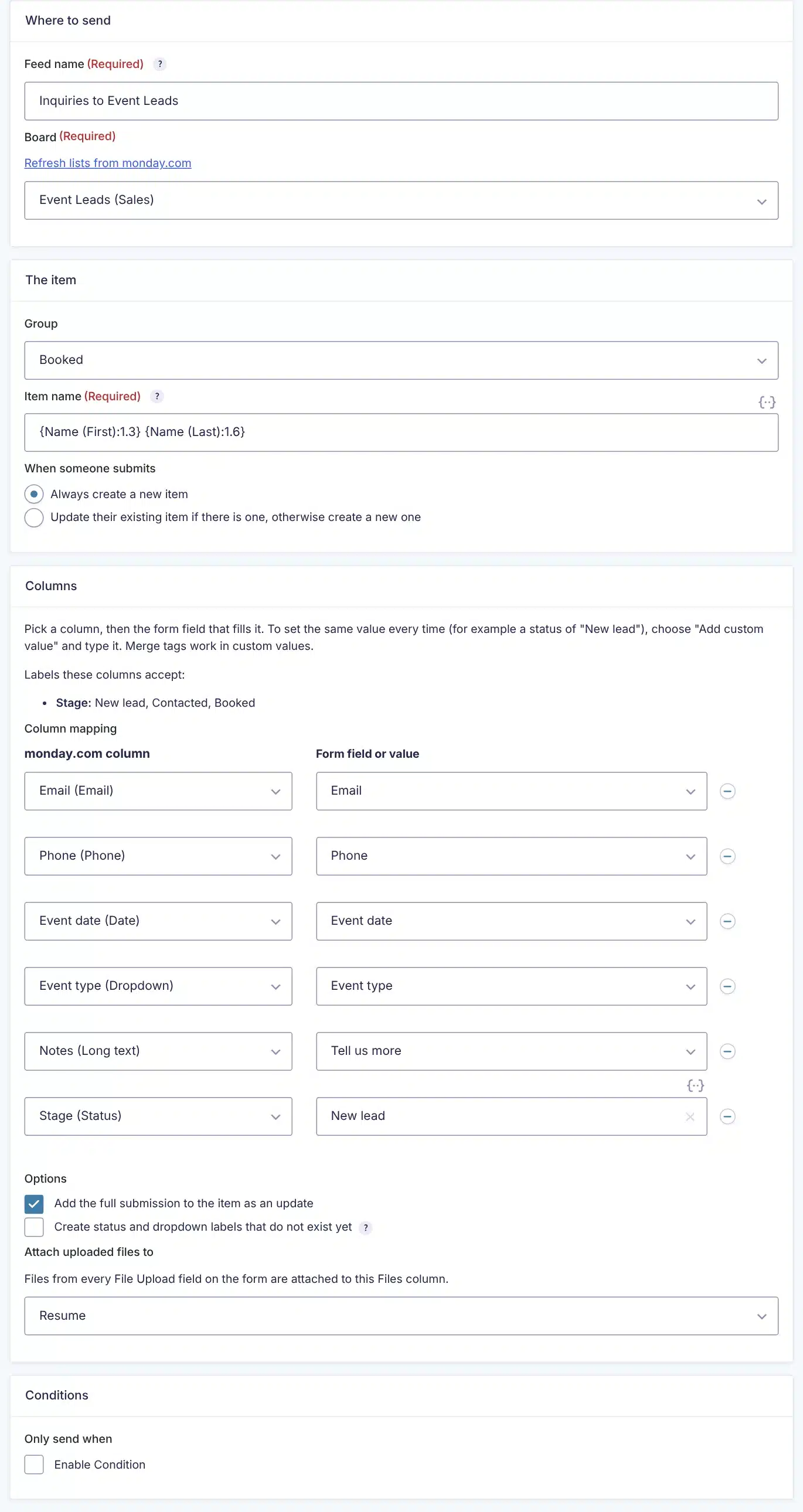
One feed: board, group, item name, columns, files and conditions
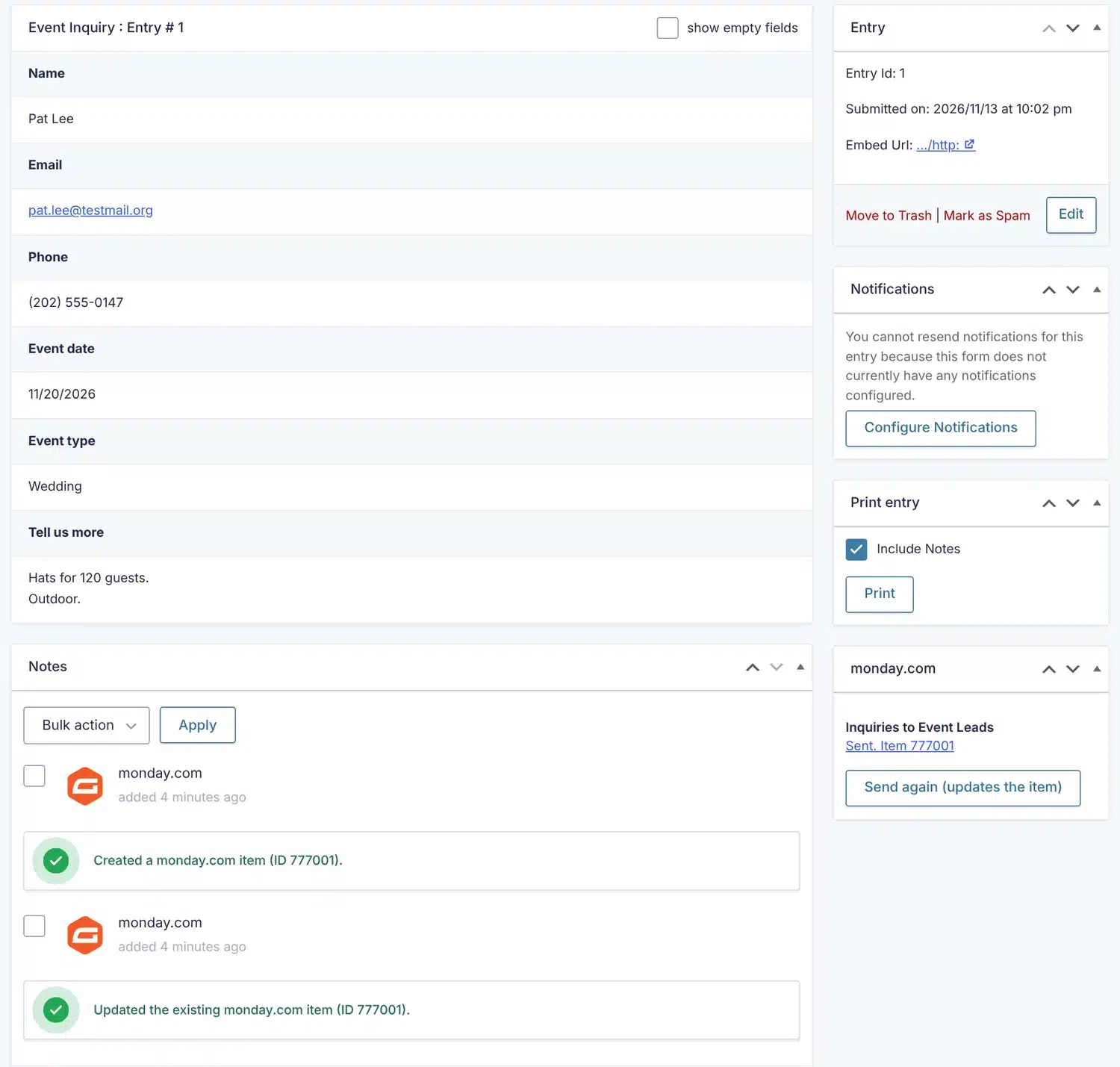
Every entry shows what was sent, with a link to the item
Details
- Version
- 1.0.1
- Price
- From $39.00/year
- Requires WordPress
- 6.0 or newer
- Requires PHP
- 7.4 or newer
- Works with
- Gravity Forms 2.5 or newer, any theme
- Developer
- WP Wizards
- License
- GPL-2.0-or-later
Changelog
1.0.1 November 2026
- The two "find the existing item" settings now show as soon as the feed opens, instead of only after saving.
1.0.0 November 2026
- First release.
FAQ
Straight answers.
Do I need a paid monday.com plan?
You need a monday.com account that can create an API token and can see the board you want to send to.
Where do I get the API token?
In monday.com, click your profile picture, then Developers, then My access tokens.
Can one form send to more than one board?
Yes. Add as many feeds as you like to a form, each with its own board, mapping and conditions.
Which column types can it fill?
Text, long text, email, phone, status, dropdown, checkbox, date, numbers and link, plus files. Other column types, such as people and timeline, are not offered in the mapping.
Does my data go anywhere else?
No. Submissions go from your site straight to monday.com and nowhere else.
Is this made by monday.com or Gravity Forms?
No. It is an independent plugin by WP Wizards and is not affiliated with, endorsed by or sponsored by either company.
How do updates work?
The plugin checks wpwizards.com for new versions and updates itself automatically, like any plugin from WordPress.org.
I am a WP Wizards client. Do I pay for it?
No. Every plugin is included while you have an active service with us.
Pricing
Get monday.com Connector for Gravity Forms.
A yearly license with every update and support from our team. If it lapses, the plugin keeps working; it just stops updating until you renew.
Rather pay once? The lifetime license covers one site forever, with every update, for a single payment.
WP Wizards clients get it free with their service.
Or get every WP Wizards plugin, forever, on unlimited sites: $499.00 one time. All-Access →