Plugins / Pickup & Delivery
Pickup & Delivery Scheduler
Let customers pick a delivery or pickup date, time and location at checkout, with good-looking date pickers, real limits, extra charges, Google Calendar sync, and closed dates you can add from the dashboard in seconds.
What it does
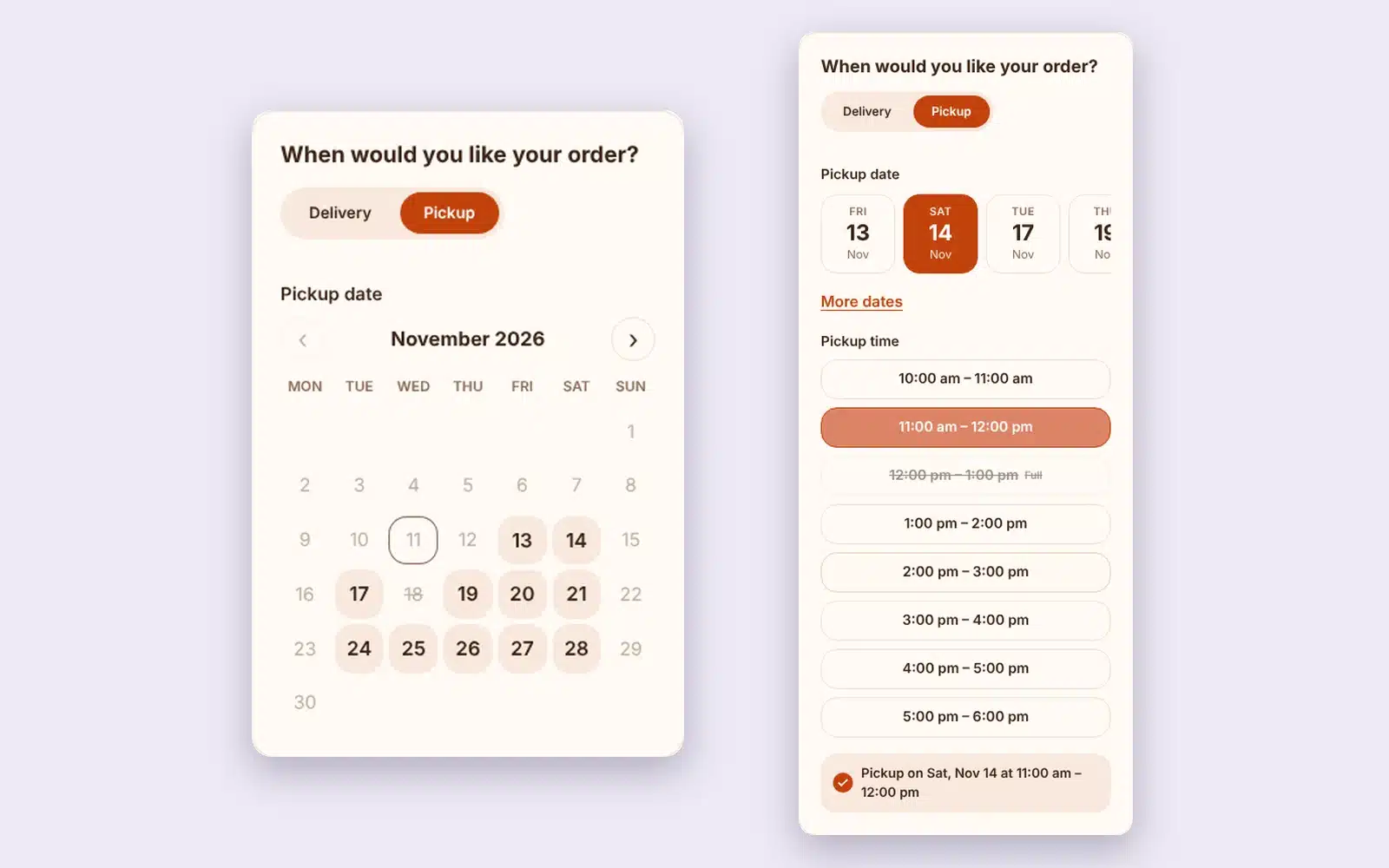
Delivery and pickup scheduling that looks like it belongs on your store.
Bakeries, florists, restaurants and local shops use it to let customers choose when they get their order. You control the days, the times, the limits and the days you are closed.
Three date styles
Date cards, a full calendar, or a compact date field, with time slots as buttons or a dropdown. Pick the one that fits your theme.
Your colors
Five ready-made looks plus color pickers for every part, with a live preview while you choose.
Show it where you want
At checkout (four positions), on the cart, and on the thank-you page, emails and My Account. Works with block and classic checkout.
Dates and times your way
Turn the date and the time on or off for pickup and delivery separately, and make each one optional or required.
Closed dates in seconds
Close a day or a holiday range from the WordPress dashboard. Make it repeat every year, or limit it to pickup or delivery.
Real limits
Open days, notice needed, a same-day cutoff, orders per day and orders per time slot. Full days and slots can’t be picked.
Orders at a glance
A Pickup / Delivery column in the orders list, today and tomorrow counts on the dashboard, and editable times on each order.
Pickup locations
Add every shop or kiosk. Customers pick a location first, and each one has its own open days, daily limit and order count.
Extra charges
Charge more for same-day or next-day orders, Saturdays, or your busiest time slots. Charges show on the picker and land on the order.
Google Calendar sync
Every pickup and delivery goes on your Google Calendar with the customer, items and address. Cancelled orders come off on their own.
Switch in a minute
Import your settings and closed dates from CodeRockz, Tyche Order Delivery Date or Iconic Delivery Slots. Old orders keep their dates.
How it works
Set up in a few minutes.
1
Install it
Install it from The Vault or upload the zip, then open WooCommerce > Pickup & Delivery.
2
Import or set up
Bring over your old plugin’s settings with Import, or set your days, times and limits.
3
Pick a look
Choose a date style and colors under Design and watch the preview update.
See it in action
See how it works.
Real screens from the plugin. Click any image to view it full size.
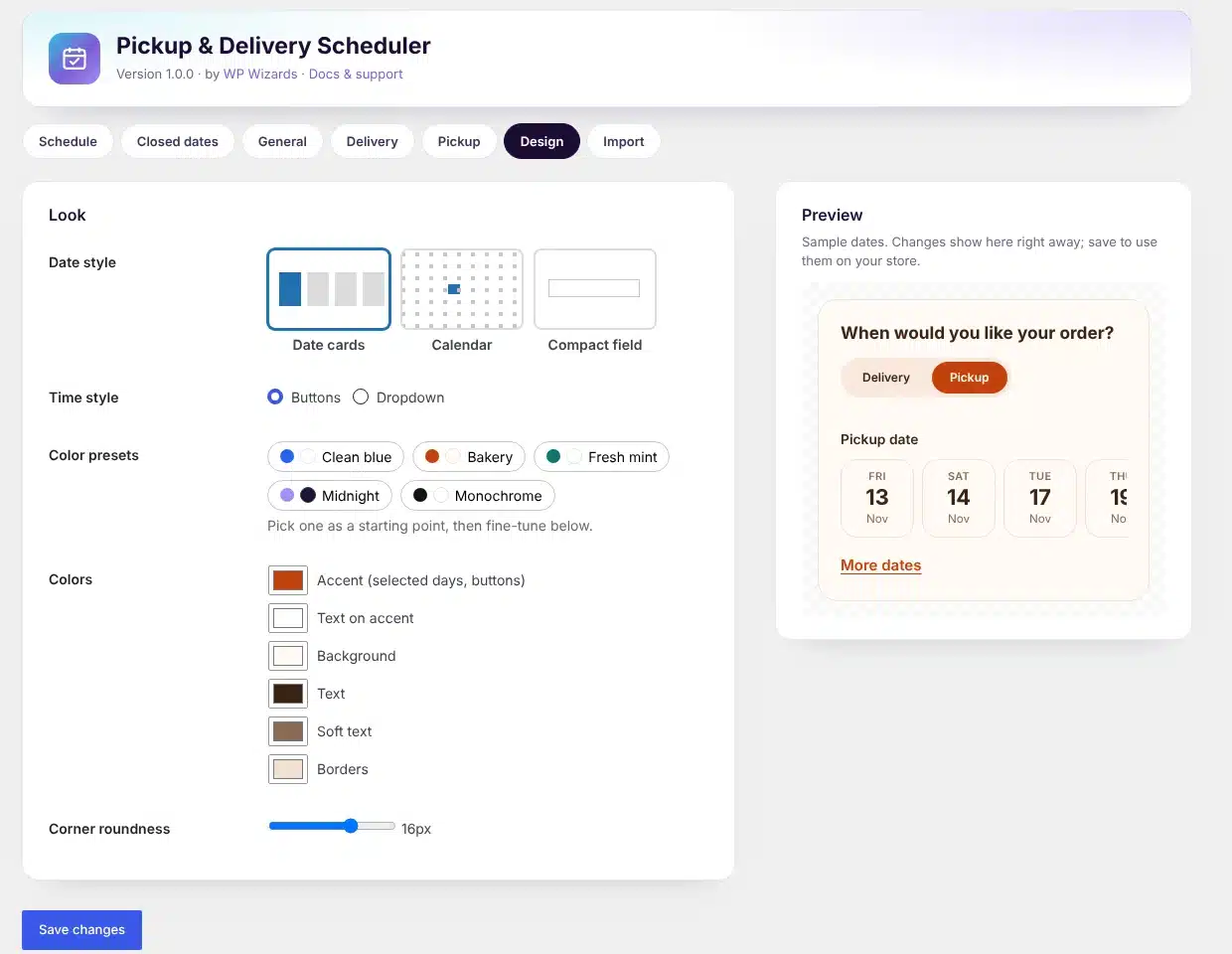
Design: date styles, color presets and a live preview
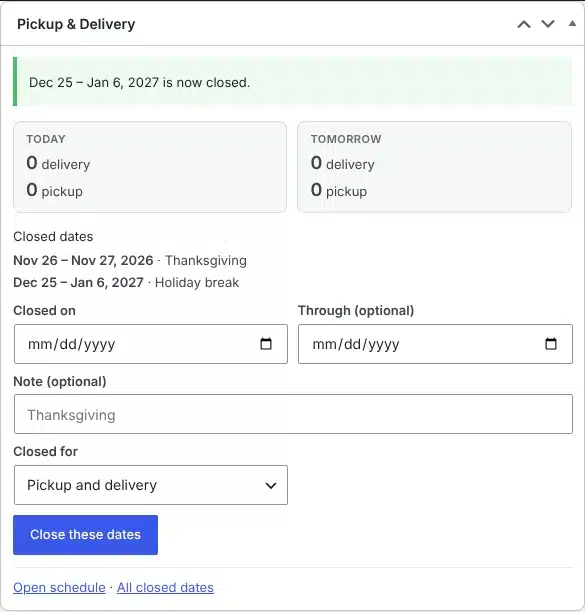
Close dates right from the WordPress dashboard
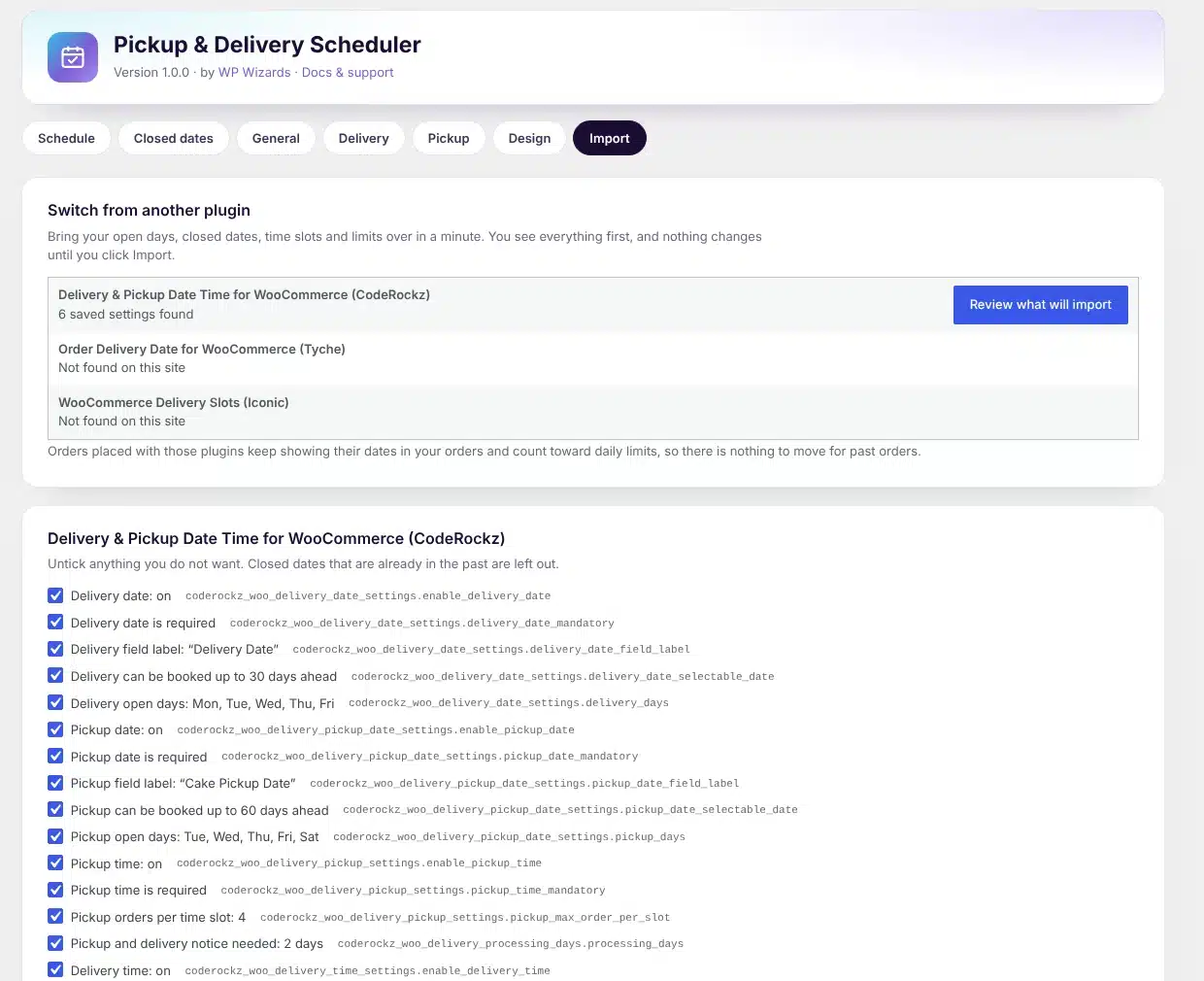
Import settings from your old delivery date plugin
Details
- Version
- 1.1.0
- Price
- From $39.00/year
- Requires WordPress
- 6.2 or newer
- Requires PHP
- 7.4 or newer
- Works with
- WooCommerce block checkout and classic checkout, HPOS and classic order storage, any theme.
- Developer
- WP Wizards
- License
- GPL-2.0-or-later
Changelog
1.1.0 November 2026
- New: multiple pickup locations, each with its own open days and daily limit.
- New: extra charges for same-day, next-day, weekday and time-slot orders.
- New: Google Calendar sync for pickups and deliveries.
1.0.0 November 2026
- First release.
FAQ
Straight answers.
Can I switch from CodeRockz (Delivery & Pickup Date Time)?
Yes. The Import tab finds its settings, shows you everything it will bring over in plain English, and changes nothing until you click Import. Orders placed with the old plugin keep showing their dates and count toward your limits.
Can I turn off the time and only ask for a date?
Yes. Date and time are separate switches for pickup and for delivery, and each can be optional or required.
How do I close a holiday?
Use the Close these dates box on the WordPress dashboard or the Closed dates tab. Pick one day or a range, add a note, and choose whether it repeats every year.
Can pickup or delivery follow the shipping method?
Yes. Let customers choose with a toggle, or switch automatically when they pick Local Pickup.
Can I have more than one pickup location?
Yes. Add as many as you like under Pickup. Each location can have its own open days and daily limit, and the location shows on the order, in emails and on the calendar.
How does Google Calendar sync work?
Create a free Google Cloud service account, share your calendar with it, and paste its key and your calendar ID under Google Calendar. New, changed and cancelled orders update the calendar automatically.
Does it slow down checkout?
No. The picker is plain JavaScript with no libraries, and bookings are counted with one cached query.
How do updates work?
The plugin checks wpwizards.com for new versions and updates itself automatically, like any plugin from WordPress.org.
I am a WP Wizards client. Do I pay for it?
No. Every plugin is included while you have an active service with us.
Pricing
Get Pickup & Delivery Scheduler.
A yearly license with every update and support from our team. If it lapses, the plugin keeps working; it just stops updating until you renew.
Rather pay once? The lifetime license covers one site forever, with every update, for a single payment.
WP Wizards clients get it free with their service.
Or get every WP Wizards plugin, forever, on unlimited sites: $499.00 one time. All-Access →