Every day, potential customers in your area search Google for exactly what you sell. If your business doesn’t show up, they call someone else. That’s the hard truth I share with almost every small business owner who sits down with us at WP Wizards.
The good news? You don’t need a Fortune 500 budget to fix it. As a Marine veteran-owned web development and digital marketing agency, we’ve built our reputation on precision, discipline, and real results for small and mid-sized businesses. Small business SEO is one of the most cost-effective growth strategies I know. It builds organic traffic, establishes credibility, and lets you compete with larger brands that have far bigger advertising budgets without paying for every single click.
The numbers back this up. Organic search drives roughly 53% of all website traffic, and SEO contributes to a significant share of revenue for businesses that invest in it consistently. Once your pages earn strong rankings, that visibility keeps working for you month after month no ongoing ad spend required.
In this guide, I’ll walk you through:
- What small business SEO is and how search engines rank your website
- A seven step SEO strategy you can start with free tools
- How branding supports your search visibility, including the 3-7-27 rule and the 5 C’s
- What SEO costs, when to hire help, and which mistakes to avoid
Let’s get your business found.
What Is Small Business SEO?
SEO stands for search engine optimization. It’s the process of improving your website so it shows up in relevant search results when people look for your products or services. Small business SEO applies that process to the realities of a smaller operation: limited time, limited budget, and often a local customer base.
When you do it well, your website appears for the online searches that matter most. A plumber shows up for “emergency plumber near me.” A therapist appears for “anxiety counseling in [city].” An online shop ranks for the specific products its buyers want. High rankings don’t just bring traffic they build trust and credibility. Most people assume that if you’re on the first page of Google, you’re worth calling.
How Search Engines Find and Rank Your Website
Search engines like Google work in three basic stages:
- Discovery (crawling): Google’s automated bots follow links across the web to find new and updated pages.
- Indexing: Google analyzes each page’s content and stores it in a massive database.
- Ranking: When someone searches, Google sorts indexed pages based on relevance, quality, usefulness, and hundreds of other signals.
Your job is to make each of those stages easy. That means a website Google can access, content that clearly matches what people search for, and signals that show your business is trustworthy.
Organic Search Results vs. Paid Advertising
When you run a Google search, you’ll usually see two kinds of listings on the search engine results pages. Paid ads from Google Ads appear at the top, marked “Sponsored.” Below them are the organic search results the listings Google ranks based on merit.
Paid advertising delivers instant visibility, but the moment you stop paying, the traffic stops too. Organic search works differently. Once your pages earn strong positions, they can keep bringing in qualified search traffic for months and years without a per-click cost. That makes SEO one of the most sustainable growth strategies available to a small business.
Now let’s look at how to build that strategy without overspending.
How to Build a Small Business SEO Strategy on a Budget
I’ve seen small businesses make major gains with nothing more than free tools, a clear plan, and a few focused hours each month. Here’s the exact framework I recommend.
Start With Free Keyword Research Tools
Keyword research is the foundation of everything else. It tells you what your potential customers actually type into Google, so you can build pages around the words and phrases that will actually bring them in.
You don’t need expensive paid tools to get started. Two free options cover most of what a small business needs:
- Google Keyword Planner: This free keyword research tool lives inside Google Ads, and you can access it without running a campaign. Enter a few terms related to your business and it suggests relevant keywords along with estimated search volume ranges.
- Google Search Console: This tool shows you the queries already bringing visitors to your website. You’ll often find terms you’re ranking for on page two that only need a little attention to move up.
When reviewing your options, resist the urge to chase broad, highly competitive keywords right away. A new bakery won’t outrank national brands for “cakes.” It can, however, win “custom birthday cakes in Tampa.”
That’s the power of long tail keywords. These longer, more specific phrases are less competitive and far more targeted. They reflect real customer needs, services, and locations and they tend to convert better because the searcher knows exactly what they want. Capturing niche markets with long-tail terms is one of the smartest moves a small business can make.
Once you’ve chosen your targets, include them naturally in your page copy, headings, URLs, and SEO content. Write for people first. Search engines reward pages that read naturally and answer the searcher’s question.
Optimize Your Google Business Profile for Local Search
Here’s a stat worth paying attention to: 46% of all Google searches seek local information. Over half of all searches carry some form of local intent, including “near me” queries. And 76% of smartphone users who search locally visit a business within a day. Perhaps even more compelling 28% of local searches result in a purchase.
For any business that serves a specific area, your Google Business Profile may be the most valuable free marketing asset you have. Setting it up costs nothing, and a complete, optimized profile can dramatically improve how you appear in Google Maps and the “local pack” — the map results that often sit above organic listings.
Here’s my checklist for a high-performing profile:
- Keep core details accurate. Double check your business hours, phone number, address or service areas, and website link. Update holiday hours every time.
- Choose the right categories. Your primary category matters most. Pick the one that best describes your main service and add secondary categories where relevant.
- Describe your services clearly. Use plain language that tells customers what you do and whom you serve.
- Upload high-quality photos. Show your storefront, team, products, and completed work. Real photos build trust fast.
- Publish regular updates. Share offers, events, and news to signal that your business is active.
- Ask for honest online reviews. Request reviews from satisfied customers, but never offer incentives in exchange Google’s policies prohibit that.
- Respond to every review. Google considers your responses a local ranking signal. Thank happy customers and handle complaints professionally. Future customers are watching.
If your business operates from multiple locations, each one should have its own separate Google Business Profile. One profile per location keeps your information accurate and helps each location show up in its own relevant local searches.
Finally, keep your business name, address, and phone number consistent across local directories like Yelp, Bing Places, Apple Business Connect, and your local chamber of commerce. Consistency helps Google trust your information, which directly supports local SEO performance.
Improve Your Website’s On-Page SEO
On-page SEO means optimizing the content and structure of each page on your website. Good on-page SEO makes your site more useful to visitors and easier for search engines to understand, index, and rank.
Start with these essentials:
- Write descriptive page titles. Each title should include the page’s main keyword and clearly describe its topic. Keep titles to roughly 60 characters so they don’t get cut off in search results.
- Craft compelling meta descriptions. These short summaries appear under your title in search results. They don’t directly boost rankings, but a strong description earns more clicks.
- Use keywords in headings, copy, and alt text. Include your target phrase in your main heading and naturally throughout the page. Add descriptive alt text to images so search engines understand what they’re looking at.
- Optimize your URLs. Clean, keyword-focused URLs help both users and search engines understand what a page is about before they even click.
- Answer real questions. Content that addresses common customer concerns — the same questions you hear every week — is exactly what both Google and your potential customers want.
- Add internal links. Link related pages together, such as a blog post that points to a service page or contact form. Internal links help visitors navigate and help Google understand how your pages connect.
- Give every page a clear purpose. Each important page should focus on one topic and end with a clear call to action.
One warning: avoid keyword stuffing. Repeating the same phrase over and over makes your content awkward to read and can actively hurt your rankings. Natural, helpful writing always wins.
Strengthen Technical SEO Without Overspending

Photo by Shamin Haky on Unsplash
Technical SEO covers the behind the scenes factors that allow search engines to crawl, index, and rank your website properly. No matter how good your content is, if Google can’t access or understand your pages, they won’t rank.
A thorough technical audit is often the best place to start. It surfaces issues like broken links, duplicate page titles, missing metadata, and pages that aren’t being indexed. These problems quietly hold your rankings back, and many can be fixed without significant expense.
Here are the priorities I always address first:
- Improve site speed. Google treats site speed as a ranking factor, and slow pages frustrate users too. Compress images, limit heavy plugins, and use quality hosting.
- Make your site mobile friendly. Google primarily uses the mobile version of your site for indexing and ranking. Mobile usability isn’t optional.
- Fix broken links and missing pages. Check Search Console regularly for crawl errors and pages Google can’t index.
- Submit an XML sitemap. This file lists your important pages. Submit it through Google Search Console so Google can find your content faster.
- Use HTTPS. A secure connection protects your visitors and signals trust to search engines.
- Keep WordPress lean and updated. Outdated plugins and bloated themes slow your site down and create security risks. Optimize images and remove plugins you don’t use.
As WordPress and WooCommerce experts, this is where my team spends a lot of time. I always tell clients: fix the biggest technical problems before spending money on premium SEO tools. A fast, secure, well built site makes every other SEO effort more effective.
Create Relevant Content That Search Engines and Customers Love
Consistent content creation is how you build search visibility over time. Every helpful page you publish gives Google another reason to show your business in search results and gives potential customers another reason to trust you.
Content that directly addresses common customer questions is especially powerful. It shows expertise, answers real searches, and improves your overall online presence in ways that thin or generic pages simply can’t match.
Here’s how to make your content count:
- Answer common customer questions in blog posts. Think about the questions you hear every week. Each one is a potential article.
- Build detailed service pages. Create a dedicated page for each core service and, where relevant, each location you serve.
- Let keyword research guide your topics. Use your research to pick subjects, but never sacrifice readability for keywords.
- Refresh outdated pages. Update old content with current information and better answers. Refreshing an existing page is often faster and more effective than writing a new one.
- Include clear next steps. Every piece should guide readers toward contacting you, booking a call, or exploring a service.
It’s also worth thinking about generative engine optimization (GEO). More people are now getting answers from AI-powered search experiences, including Google’s AI Overviews and AI chat tools. GEO means creating trustworthy, well-organized content those systems can understand and reference. Use clear headings, answer questions directly, define terms, share real expertise, and keep your facts accurate. Content that genuinely helps people tends to perform well with both traditional search engines and AI tools.
Build Authority With Off-Page SEO and Link Building
Off-page SEO includes everything that happens outside your own website to build credibility and authority. The biggest piece is link building earning links from other websites that point back to yours. Backlinks are one of Google’s strongest ranking signals. Research consistently shows that the top-ranking pages have significantly more quality backlinks than the pages below them. The number-one ranking page, on average, earns nearly four times more backlinks than its competitors.
But quality matters more than quantity. One relevant, authoritative link from a respected local organization or industry publication is worth far more than dozens of low-quality or purchased links.
Building local citations consistent mentions of your business name, address, and phone number across reputable directories also strengthens your online authority and supports local SEO directly.
A smart link building strategy for a small business looks like this:
- Claim reputable directory listings. Start with trusted local and industry-specific directories relevant to your field.
- Build local relationships. Partner with complementary businesses, sponsor community events, and join local organizations. These relationships often lead to natural links and legitimate brand mentions.
- Create resources worth linking to. Helpful guides, original research, local data, and checklists attract links on their own.
- Contribute guest content. Write useful articles for respected industry blogs or local publications — this is link building as digital PR.
- Encourage legitimate mentions. Ask partners, suppliers, and associations to mention your business on relevant third-party sites.
Stay away from purchasing links or joining link schemes. Paid or manipulative links violate Google’s guidelines and can seriously damage your SEO performance. Focus on earning links through genuinely useful work, and your authority will grow in a way that lasts.
Use Google Analytics to Measure SEO Performance

Photo by 1981 Digital on Unsplash
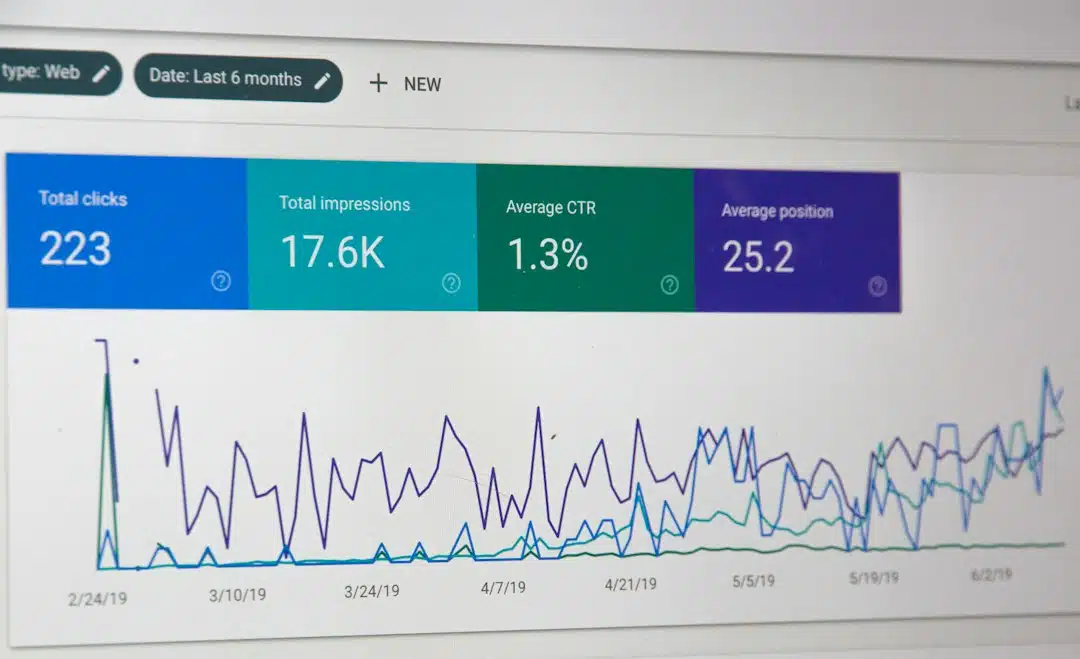
What gets measured gets improved. Google Analytics and Google Search Console are the two essential free tools for tracking your SEO performance and together, they give you a clear picture of what’s working and where to focus next.
Here’s what I recommend tracking:
- In Google Analytics: Monitor organic traffic, engagement rates, and conversions. See which pages bring visitors from search and what those visitors do next.
- In Search Console: Review impressions, clicks, click-through rates, and keyword rankings. Watch for pages sitting on page two that could climb with targeted improvements.
- Real business goals: Set up tracking for contact form submissions, phone calls, appointment requests, and purchases. Traffic numbers are encouraging, but leads and sales are what pay the bills.
Look for pages that attract visitors but generate few inquiries. These often need a stronger call to action, clearer messaging, or a faster load time. And remember SEO rankings typically take three to six months, and sometimes longer, to show meaningful results. Compare your performance over months, not days. Use your data to refine content, sharpen your keyword targeting, and plan future SEO campaigns with confidence.
SEO helps people find you. Branding helps them remember you and choose you so let’s talk about how the two work together.
How Branding and Search Engine Optimization Work Together
Your brand is the impression people form every time they encounter your business. SEO increases how often they encounter you. When both are strong, you build recognition and trust much faster.
What Is the 3-7-27 Rule of Branding?
The 3-7-27 rule is a branding concept marketers often use to explain how familiarity builds over time. A common version goes like this:
- 3 seconds: The time you may have to make a first impression
- 7 exposures: The number of times someone may need to see your brand before remembering it
- 27 touchpoints: The number of interactions it may take before someone takes meaningful action
I want to be clear: this is a rule of thumb, not a scientific law. It isn’t a Google ranking factor, and it’s not a guaranteed formula for conversions. The exact numbers vary by industry, price point, and customer.
The underlying principle, though, is sound. People rarely buy from a business the first time they see it. They need repeated, consistent exposure before they trust you enough to reach out.
That’s where SEO shines. A potential customer might find your blog post while researching a problem. A week later, they see your business in Google Maps. Then they notice your reviews, visit your website, and see you on social media. Each touchpoint builds familiarity — and every piece of SEO content you create gives you another chance to show up at the right moment during that buying journey.
What Are the 5 C’s of Branding?
Branding frameworks vary, and the 5 C’s aren’t one universally standardized model. Here’s a version I find practical for small business owners:
- Clarity: Communicate what your business offers and whom it serves. Your homepage should make this obvious within seconds.
- Consistency: Maintain a recognizable voice, visual identity, and customer experience across your website, profiles, and marketing.
- Credibility: Build trust through accurate information, testimonials, online reviews, and demonstrated expertise.
- Connection: Build meaningful relationships by addressing your audience’s real needs and concerns.
- Competitiveness: Explain what makes you different from other available options.
Each of these strengthens your SEO too. Clear messaging helps Google understand your pages. Consistent business information supports local SEO. Credibility signals like reviews influence both rankings and clicks. Helpful, connected content earns engagement and links.
At WP Wizards, our own brand rests on Marine Corps values: precision, reliability, and trust. Those values shape how we communicate, how we build, and how we treat every client.
How to Legally Create a Brand for Your Small Business

Building a great brand means nothing if you lose the right to use it. I’ve watched business owners invest thousands in logos, signs, and websites, only to receive a cease-and-desist letter later. A little research upfront can prevent that.
Here are the practical steps:
- Research your business name. Search Google, social platforms, and your industry for businesses using similar names, especially in your field.
- Search the USPTO trademark database. The United States Patent and Trademark Office offers a free search tool. Check it before you invest heavily in a name or logo.
- Check state registration requirements. Each state has its own rules for registering a business entity or a “doing business as” (DBA) name.
- Confirm domain availability. Make sure a clean, relevant domain name is available for your website.
- Review copyright for creative assets. Confirm you own or have licensed your logo, photos, and website copy. If a freelancer creates your logo, get a written agreement that transfers ownership to you.
- Consult a qualified attorney. When conflicts or complex questions arise, talk to a trademark attorney.
It’s important to understand the difference between these three things:
- Registering a business name with your state lets you operate legally under that name.
- Owning a domain gives you control of a web address.
- Securing trademark rights protects your brand name or logo from being used by competitors in your market.
Business registration alone does not automatically provide comprehensive trademark protection. You can use the ™ symbol to claim a mark, but you can only use ® after the USPTO grants federal registration. Please treat this section as general guidance, not legal advice.
How Do I Create a Brand for Myself? A Guide for Small Business Owners and Entrepreneurs
Personal branding matters for freelancers, consultants, coaches, and professional service providers like lawyers, therapists, and contractors. When you are the business, people buy into you.
Here’s how I recommend building a recognizable personal brand:
- Define your foundation. Get clear on your audience, expertise, values, and unique selling proposition. What do you do better or differently than anyone else?
- Choose a professional identity. Pick a name, visual style, and brand voice you can use consistently everywhere.
- Build a polished website. Your website should explain your services, experience, and results. It’s the one platform you fully control.
- Publish helpful content. Share articles, videos, or guides that demonstrate your knowledge and answer your audience’s questions.
- Support local discovery. Optimize your website for local search, and set up a Google Business Profile if your business qualifies.
- Collect genuine testimonials. Ask satisfied clients for reviews, and build credibility through professional networks and partnerships.
- Use analytics to guide decisions. Track which content and channels attract the right people, then double down on what works.
This is exactly where we help many entrepreneurs and startups get off the ground. We turn personal brands into professional online presences with custom WordPress development, SEO, and digital marketing support. Your expertise is already there. We help the right people find it.
How Much Do SEO Services Cost for a Small Business?

Photo by Sasun Bughdaryan on Unsplash
This is one of the first questions I hear, and the honest answer is: it depends on your goals, your competition, and your current website. A local landscaper in a small town faces a very different challenge than an e-commerce brand selling nationwide.
Here’s how I suggest prioritizing your investment:
- Start with free work. Use free tools for keyword research, optimize your Google Business Profile, and improve your existing pages. You can do more than you think without spending a dollar.
- Focus on high value pages. Prioritize the service pages that drive revenue and the local search opportunities closest to your customers.
- Invest in professional help when it makes sense. Bring in SEO services when technical issues, tough competition, or limited time make DIY efforts unrealistic.
- Compare SEO packages carefully. Look at deliverables, reporting, expertise, and alignment with your goals not just price. The cheapest option often costs more in the long run.
- Use paid ads strategically. PPC and Google Ads can supplement organic search when you need immediate visibility, such as during a new launch or seasonal push.
Sustainable SEO requires ongoing improvement. Any SEO company promising guaranteed first-page rankings overnight is selling something it can’t deliver. Google controls rankings, and nobody can guarantee them. What I can promise is this: businesses that invest consistently in good SEO build a compounding asset that delivers long-term traffic and customer acquisition without ongoing ad spend.
At WP Wizards, we offer flexible support for small business budgets, from quick fixes to full monthly retainers. Our pricing is transparent, and our reporting dashboards are easy to read. You’ll always know what you’re paying for and what it’s delivering.
When Should You Hire a Small Business SEO Company?
DIY SEO can take you far. At some point, though, your time becomes more valuable spent running your business. Here are the signs it may be time to bring in a professional SEO agency:
- Your website gets little organic traffic even though you offer valuable products or services.
- You struggle to appear in local search results for the services you provide in your area.
- Competitors consistently outrank you for your most important keywords and service pages.
- Technical problems keep Google from properly crawling or indexing your site.
- You need consistency in content creation, link building, or SEO reporting, and you don’t have the bandwidth.
- You want everything coordinated so SEO works alongside your WordPress site, PPC, email marketing, and other digital marketing efforts.
Our SEO specialists combine technical expertise with practical strategy and straightforward communication. As a one-stop digital partner, we handle web design, SEO, ads, and ongoing support under one roof. That means no finger pointing between vendors and no lost time.
Common Small Business SEO Mistakes to Avoid
I’ve cleaned up plenty of SEO messes over the years. These are the mistakes that waste the most time and money:
- Chasing competitive keywords too early. Targeting broad terms without considering search intent or competition leads to frustration and wasted effort.
- Ignoring local SEO. With 46% of Google searches seeking local information and 72% of local searchers visiting a store within five miles, an incomplete or outdated Google Business Profile leaves serious opportunities on the table.
- Publishing thin or duplicate content. Short, copied, or unhelpful pages rarely rank and can drag down your whole site.
- Neglecting technical basics. Poor mobile usability, slow site speed, and unchecked technical issues drive visitors away and hold your rankings back.
- Buying backlinks. Questionable links and link schemes can trigger Google penalties that take months to recover from.
- Skipping analytics. If you’re not tracking conversions in Google Analytics and Search Console, you can’t tell which efforts actually move the needle.
- Expecting overnight results. SEO success builds over time — typically three to six months before you see meaningful progress. Be wary of anyone guaranteeing first-page rankings on a short timeline.
- Buying paid tools too soon. Master the free tools first. Many small businesses never need more than Google’s free suite.
Avoiding these traps puts you ahead of most of your competitors before you’ve even done anything fancy.
How Our SEO Specialists Help Small Businesses Get Found on Google
Photo by Shutter Speed on Unsplash
At WP Wizards, we help businesses improve their online visibility with practical, measurable solutions. Here’s what that looks like:
- Small business SEO: We build strategies around your goals, your audience, and your budget — focused on sustainable organic growth, not short-term tricks.
- Local SEO: We optimize your Google Business Profile, create location-specific content, build local citations, and keep your directory listings consistent.
- WordPress website development: We build fast, responsive, professional sites on a strong technical foundation, including WooCommerce stores built to convert.
- Content and on-page SEO: We strengthen service pages, blog content, metadata, URLs, and internal linking so every page earns its place.
- Technical SEO: We run full audits and fix performance, indexing, crawlability, and usability issues before they cost you rankings.
- Analytics and reporting: We monitor your SEO performance using Google Analytics and Search Console, and we explain the results in plain English.
- Flexible small business SEO services: Our support grows with you, whether you need a one-time fix or an ongoing partnership.
Our Marine Veteran owned roots shape how we work. We show up, communicate clearly, and do what we say we’ll do. We won’t sell you services you don’t need. We’d rather earn a long-term partnership by delivering results you can see and measure.
That’s also why so many small businesses, nonprofits, professional service providers, and B2B clients choose us over big agencies. You get expert-level work without the bloated pricing and red tape.
Conclusion: Grow Your Business With a Smarter SEO Strategy
Small business SEO doesn’t require a massive marketing budget. It requires focus. Organic search accounts for more than half of all website traffic, and for businesses that invest in it consistently, SEO becomes their most cost-efficient source of long-term leads. When you target the right keywords, strengthen your local presence, publish helpful content, keep your technical foundation solid, and track your results, you build visibility that compounds month over month.
Branding makes that visibility stick. Consistent messaging and a protected brand identity turn first-time searchers into loyal customers. And with 76% of smartphone users visiting a business within a day of a local search, the connection between SEO and real-world foot traffic has never been clearer.
You can tackle many of these steps yourself with free tools. When you’re ready to move faster or need expert help, we’re here. Whether you need a better WordPress website, stronger local SEO, or a complete digital marketing plan, my team at WP Wizards will help you compete with confidence.
Small Business SEO FAQs
How can I do SEO for my small business for free?
Start with Google’s free tools. Use Google Keyword Planner and Search Console for keyword research, set up and optimize your Google Business Profile, and improve your page titles, meta descriptions, and content. Ask happy customers for reviews, list your business in reputable local directories, and track everything with Google Analytics.
How long does small business SEO take to show results?
Most businesses start seeing meaningful improvements within three to six months, and some competitive situations take even longer. Local SEO changes like Google Business Profile updates and new reviews can show results faster than broad organic ranking improvements.
Is local SEO worth it for small businesses?
Absolutely. With 46% of Google searches seeking local information and 28% of local searches resulting in a purchase, local SEO is often the highest-return marketing investment a brick-and-mortar business can make. It puts you in front of customers who are ready to buy, right in your area.
What free SEO tools should small business owners use?
Google Search Console, Google Analytics, Google Keyword Planner, and Google Business Profile cover the essentials. Google’s PageSpeed Insights helps you test site speed and mobile performance at no cost.
How much should a small business spend on SEO?
That depends on your goals, competition, and market. Start with free improvements, then invest in professional help when competition or time constraints hold you back. Compare providers on deliverables, reporting, and expertise not price alone.
Can a small business rank on Google without paid advertising?
Yes. Organic search results are earned, not bought. With strong content, solid technical SEO, local optimization, and quality backlinks, small businesses can rank well without spending on Google Ads.
What is the difference between on-page SEO and off-page SEO?
On-page SEO covers everything on your own website content, headings, meta descriptions, URLs, and internal links. Off-page SEO covers signals from elsewhere, including backlinks, local citations, online reviews, and brand mentions on third-party sites.
How can I improve my Google Business Profile rankings?
Complete every section, choose accurate categories, and keep your information current. Upload real photos, post regular updates, earn genuine reviews, and respond to all of them. Keep your business details consistent across online directories and local citations.
Do small businesses need an SEO company?
Not always. Many businesses make solid progress on their own. A professional SEO company becomes most valuable when you face technical problems, tough competition, or simply lack the time to stay consistent.
How do branding and SEO work together?
SEO helps people find you, and branding helps them remember and trust you. Consistent messaging across search results, your website, and social media builds familiarity which leads to more clicks, inquiries, and sales over time.
Your Customers Are Searching. Let’s Make Sure They Find You.
You’ve worked hard to build your business. Now let’s make sure the right people can find it. Contact WP Wizards today to discuss an affordable, results-driven SEO strategy built around your goals and your budget.