Plugins / Service Bookings
Service Bookings
Turn WooCommerce products into bookable services. Customers enter their address, see a price based on driving distance, pick a time and pay.
What it does
Bookings for businesses that go to the customer.
Mobile groomers, dog trainers, detailers, cleaners and technicians all have the same problem: the price and the schedule depend on where the customer is. Service Bookings checks the address first, then shows the right price and the times you are actually free.
Bookable WooCommerce products
Switch booking on for any product. Customers pick a day and a time, then check out like any other order.
Travel pricing by driving distance
Set prices by mileage bands from your starting address. Leave a band blank to send those customers to your quote form.
Prices worked out on your server
Distance and price are calculated on your site, not in the visitor’s browser, so they cannot be edited on the way to the cart.
Real availability
Time slots come from your business hours, lead time, buffer between jobs and how far ahead you take bookings. Each product can have its own hours.
Google and Outlook calendar sync
Busy times on your calendar block those slots, and new bookings are added with the customer invited.
Quote before they book
Add [wpw_travel_quote] to any page so visitors can enter an address and see their price.
Count what you charge for
Price per additional dog, vehicle, guest or anything else, with your own label.
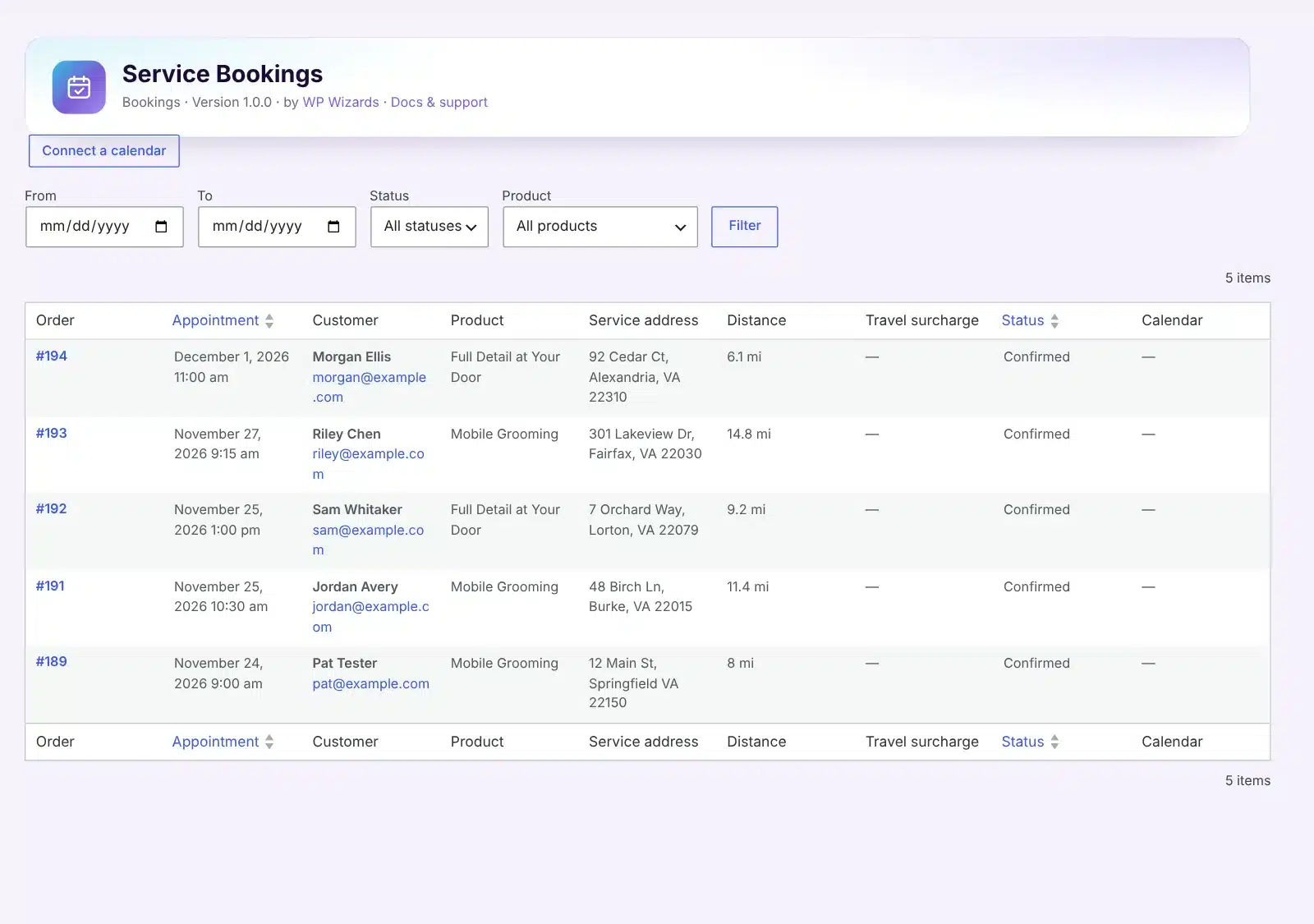
One list of every booking
Filter by product, status and date, and jump straight to the order.
How it works
From product to booked.
1
Set your hours
Bookings → Settings: business hours, lead time and slot length.
2
Add travel pricing
Enter your starting address and Google key, then set distance bands on the product.
3
Turn booking on
Open a WooCommerce product, go to its Booking tab and switch it on.
See it in action
See how it works.
Real screens from the plugin. Click any image to view it full size.
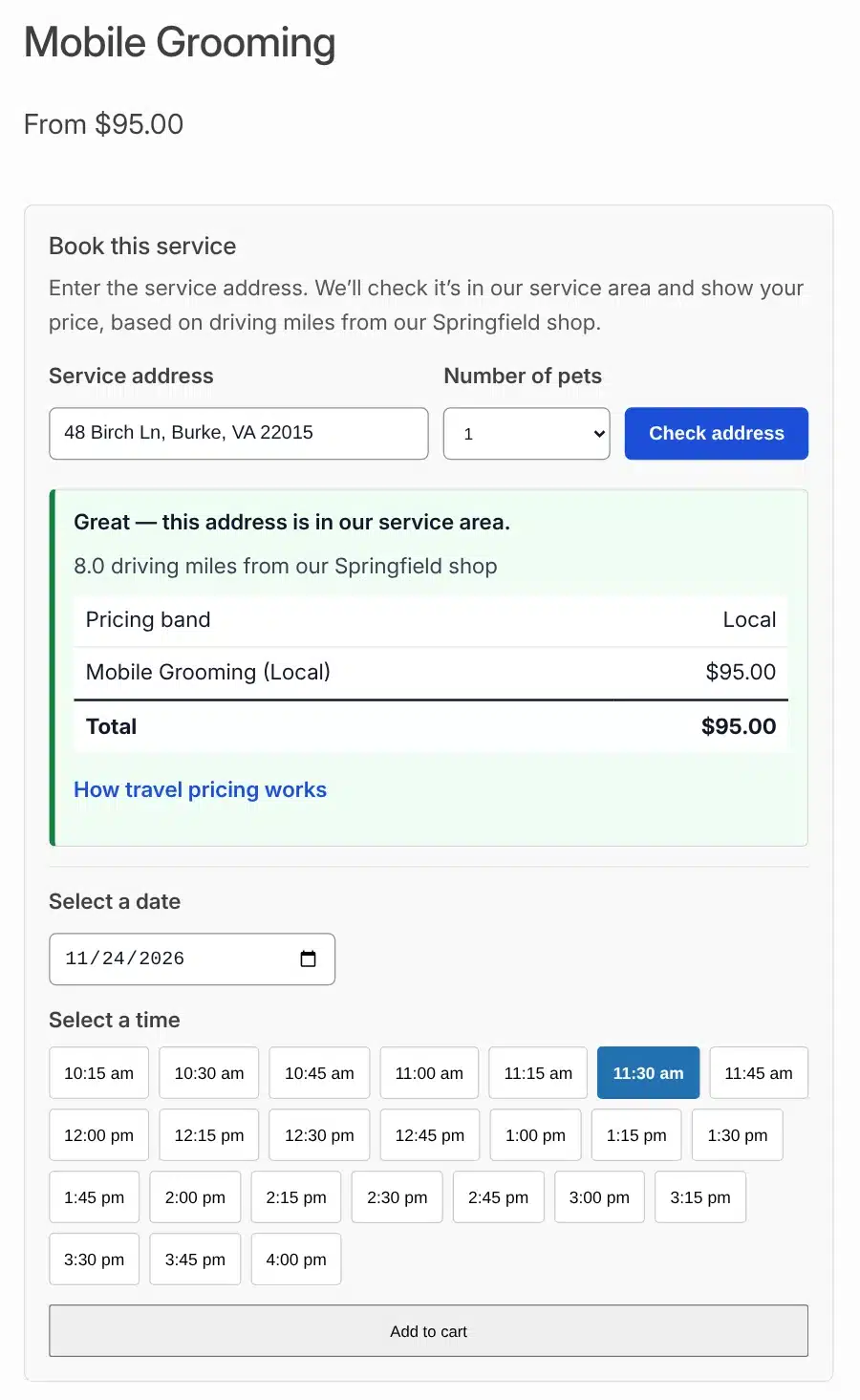
What the customer sees: address check, price and open times
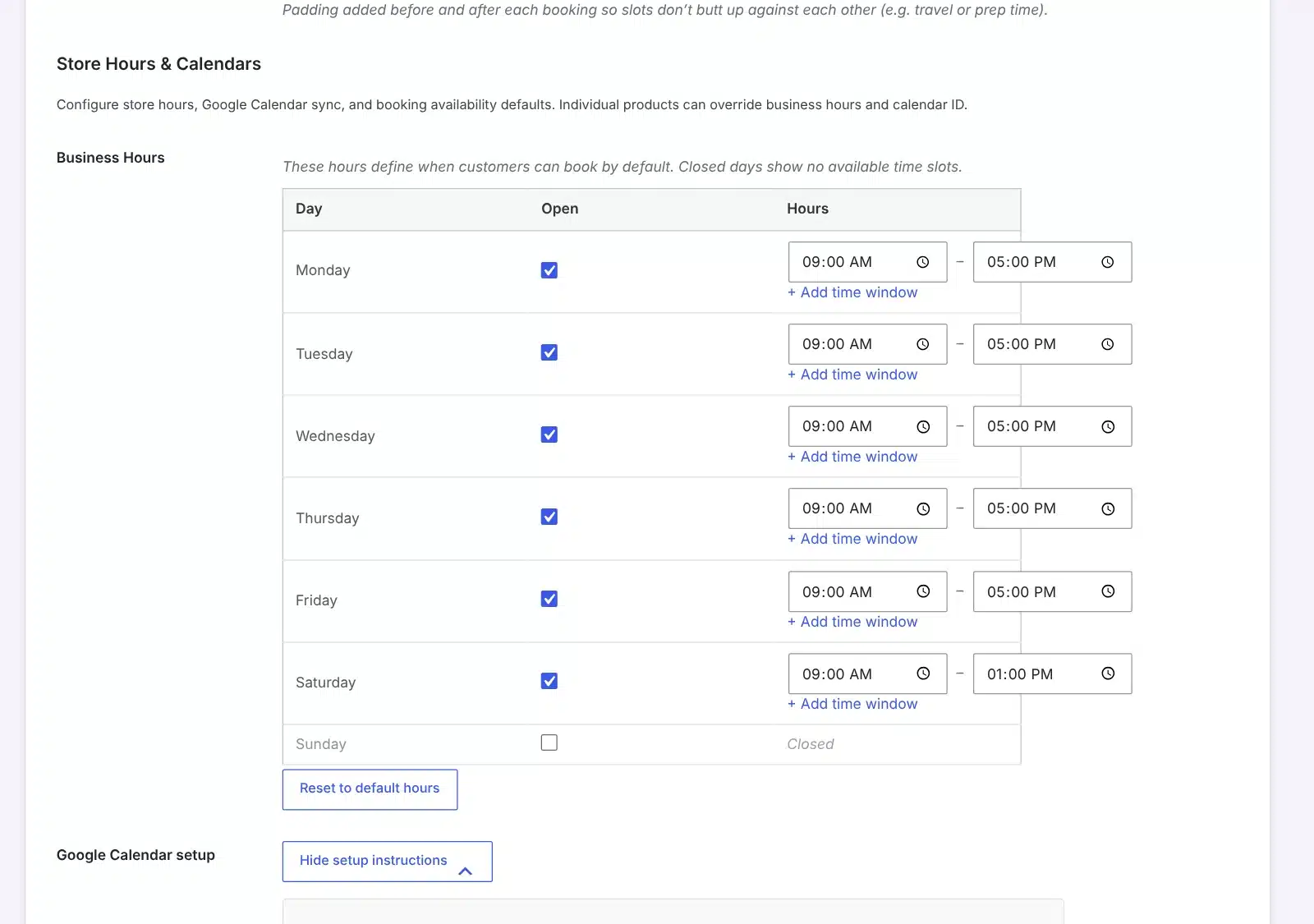
Business hours with more than one window per day
Details
- Version
- 1.0.0
- Price
- From $59.00/year
- Requires WordPress
- 6.2 or newer
- Requires PHP
- 7.4 or newer
- Works with
- WooCommerce 7.0+ (required). Service Area Validator (optional)
- Developer
- WP Wizards
- License
- GPL-2.0-or-later
Changelog
1.0.0 November 2026
- First release. Bookings, travel pricing and calendar sync, moved out of Service Area Validator into their own plugin.
FAQ
Straight answers.
Do I need Service Area Validator?
No. Service Bookings works on its own. With both installed they share one setup, products can use your drawn service areas, and addresses that are too far away show up on the Demand Map.
Does every booking need an address?
Yes. It is built for services delivered at the customer’s location, so each booking starts with the service address.
Which Google services does it use?
The Routes and Geocoding APIs with a server key for distance. Address suggestions are optional and use Places.
When is the time slot reserved?
When the order is paid. Orders waiting on an offline payment do not hold the slot until you mark them as processing.
Does it take deposits?
Not yet. The full price is charged at checkout. You can show a payment schedule for information.
I used bookings inside Service Area Validator. What changes?
Install Service Bookings and it takes over with the same settings, products and bookings. Nothing needs to be set up again.
How do updates work?
The plugin checks wpwizards.com for new versions and updates itself automatically, like any plugin from WordPress.org.
I am a WP Wizards client. Do I pay for it?
No. Every plugin is included while you have an active service with us.
Pricing
Get Service Bookings.
A yearly license with every update and support from our team. If it lapses, the plugin keeps working; it just stops updating until you renew.
Rather pay once? The lifetime license covers one site forever, with every update, for a single payment.
WP Wizards clients get it free with their service.
Or get every WP Wizards plugin, forever, on unlimited sites: $499.00 one time. All-Access →