Plugins / On This Page
On This Page: Table of Contents
A fast, clean table of contents built from your headings. Add it to posts automatically or place it anywhere with a shortcode.
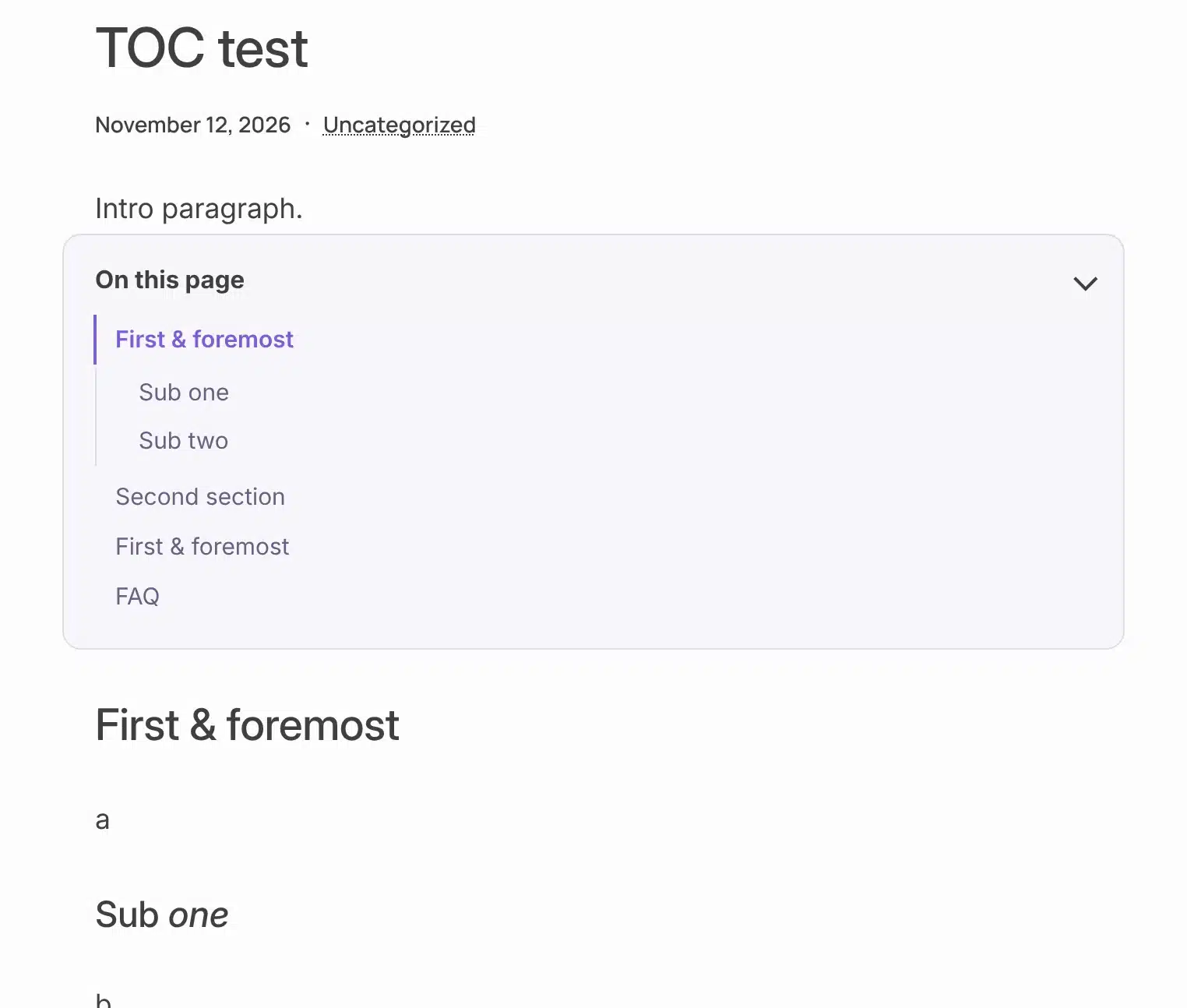
What it does
Help readers find the part they came for.
Long posts rank better and get read more when people can jump straight to a section. On This Page builds the list from your headings, so there is nothing to keep up to date.
Builds itself from your headings
Pick which levels to include (H2, H3, H4). Sub-headings nest under their section.
Automatic or exactly where you want it
Add it before the first heading on every post, or place it yourself with [on_this_page].
Works in Divi sidebars
Drop the shortcode into a Text module in a Divi Theme Builder template and it shows the right list for every post.
Shows where you are
The section being read is highlighted as the visitor scrolls.
Collapsible
Visitors can fold it away. It can start collapsed on phones and tablets to save space.
Light and search-friendly
The links are built on the server, so search engines see them. One small stylesheet and script, loaded only where a table of contents appears.
How it works
Up and running in a minute.
1
Install and activate
Upload it, or add it from The Vault.
2
Choose where it shows
Settings → On This Page. Pick post types, heading levels and your accent color.
3
Publish as usual
Write with headings. The table of contents takes care of itself.
See it in action
See how it works.
Real screens from the plugin. Click any image to view it full size.
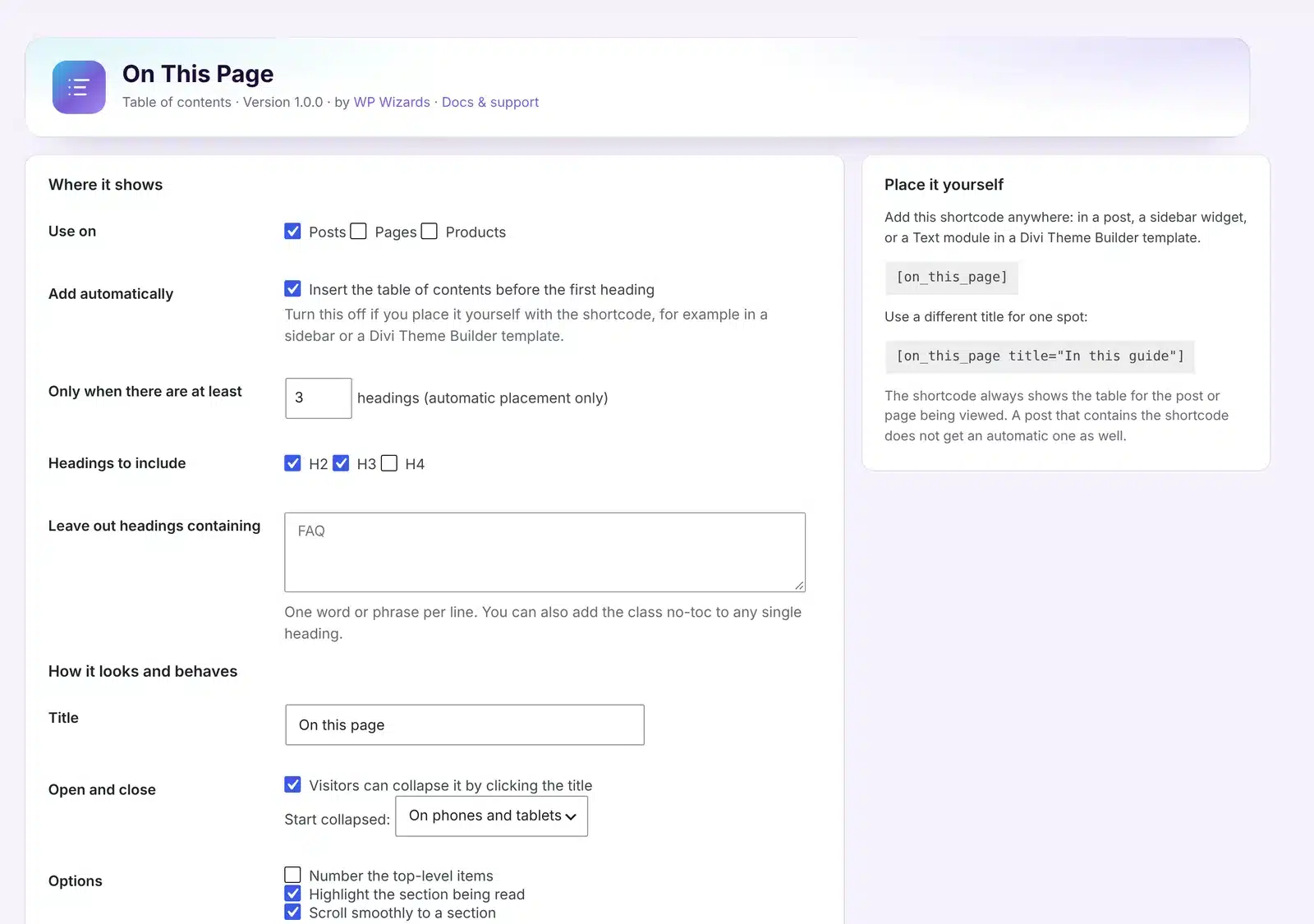
Every setting on one screen
Details
- Version
- 1.0.1
- Price
- Free
- Requires WordPress
- 6.2 or newer
- Requires PHP
- 7.4 or newer
- Works with
- Divi, block editor, classic editor, any theme
- Developer
- WP Wizards
- License
- GPL-2.0-or-later
Changelog
1.0.1 November 2026
- Fixed: headings with quotes, apostrophes or dashes now get their anchor, so their links jump to the right spot.
1.0.0 November 2026
- First release.
FAQ
Straight answers.
Does it change my headings?
It only adds an anchor to each heading so the links can jump to it. Headings that already have one keep it.
Can I leave a heading out?
Yes. Add the class no-toc to that heading, or list a word it contains in the settings.
Will it hide headings under my sticky header?
No. Set the height of your header in the settings and sections stop just below it.
Does Rank Math recognize it?
Yes. Rank Math’s table of contents check passes with On This Page.
How do updates work?
The plugin checks wpwizards.com for new versions and updates itself automatically, like any plugin from WordPress.org.
Get On This Page.
A free download with a quick $0 checkout. Updates arrive automatically inside WordPress.