Plugins / Visual Choices for Gravity Forms
Visual Choices for Gravity Forms
Turn Gravity Forms radio buttons, checkboxes and product options into image cards. Six styles, descriptions, badges, zoom and min/max picks.
What it does
Let people pick with pictures.
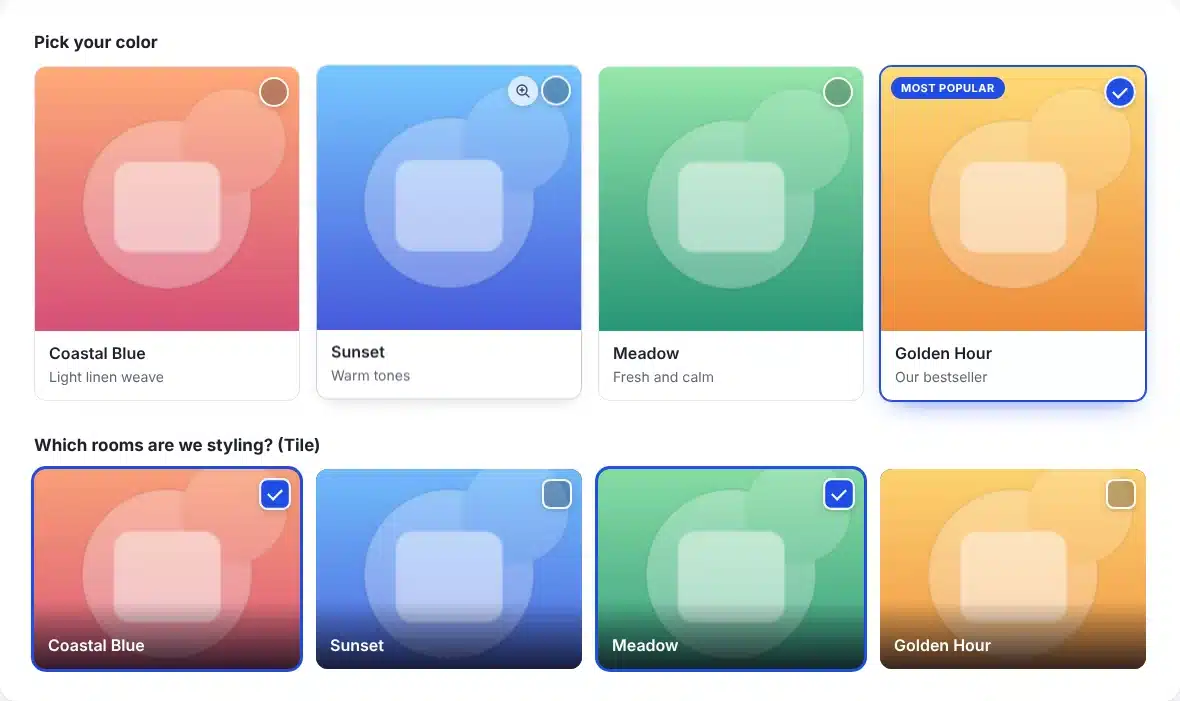
Colors, packages, room styles, products: some choices are easier to make when you can see them. Visual Choices turns any Gravity Forms choice field into image cards in a couple of clicks.
Six styles
Card, Tile, Polaroid, Circle, Outline and Row (image beside the text, for longer options).
Columns for every screen
Set columns for desktop, tablet and phone, or let them fit automatically.
Descriptions and badges
Add a short description and a badge like “Most popular” to any choice.
Zoom and min/max picks
An optional zoom button opens images larger. Checkbox fields can require a minimum or cap the maximum.
Images in entries and emails
Picks show as images in entries, the entries list and {all_fields} notifications.
Nothing else breaks
The real inputs stay underneath, so conditional logic, calculations and product totals keep working.
How it works
Add images in a couple of clicks.
1
Turn it on
Select a Radio Buttons, Checkboxes, Product or Option field and tick Show choices as images.
2
Add the images
Click the image button beside each choice. Select several at once to fill them in order.
3
Pick a style
Choose a style, image shape and columns, or set site-wide defaults under Forms → Settings.
See it in action
See how it works.
Real screens from the plugin. Click any image to view it full size.
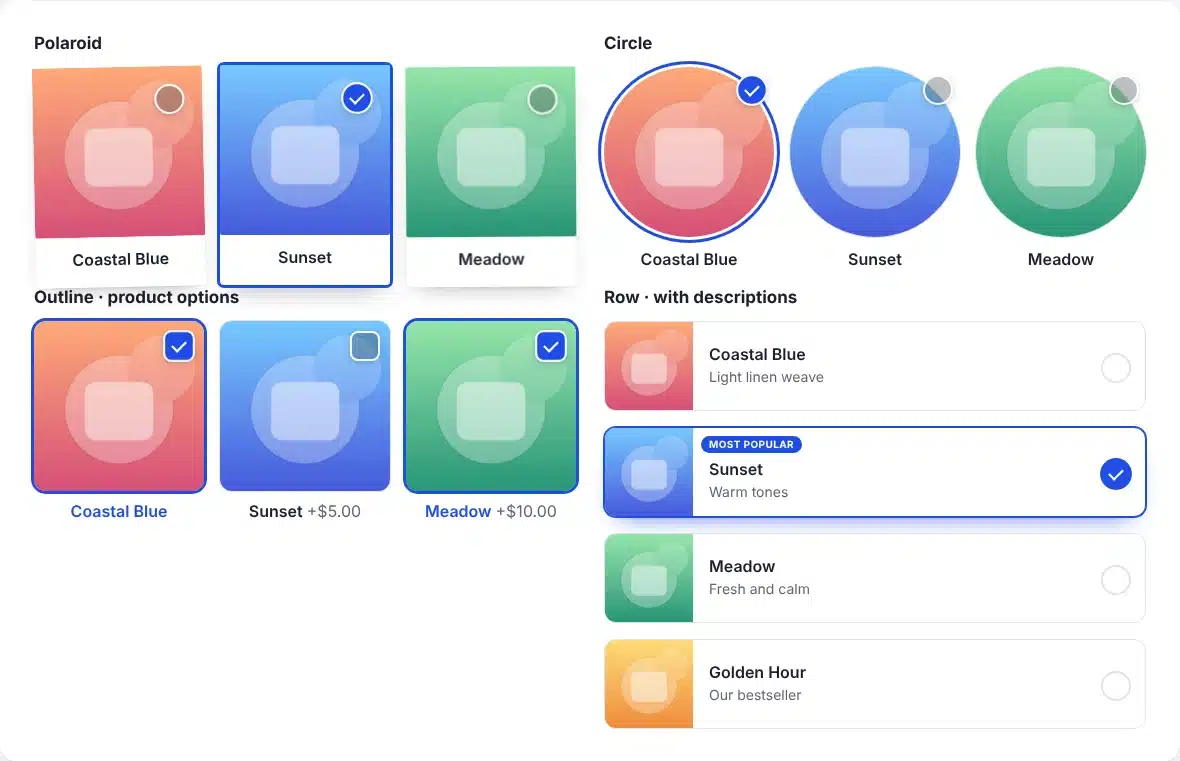
Polaroid, Circle, Outline and Row styles
Details
- Version
- 1.0.2
- Price
- From $29.00/year
- Requires WordPress
- 6.2 or newer
- Requires PHP
- 7.4 or newer
- Works with
- Gravity Forms 2.5+
- Developer
- WP Wizards
- License
- GPL-2.0-or-later
Changelog
1.0.2 November 2026
- Choice labels in the form editor preview match the live form.
1.0.1 November 2026
- Zoom button keeps its look with the Gravity Forms Orbital theme.
1.0.0 November 2026
- First release.
FAQ
Straight answers.
Which fields does it work with?
Radio Buttons and Checkboxes, plus Product, Option, Shipping, Poll, Survey and Quiz fields set to radio buttons or checkboxes.
Do images show in notification emails?
Yes. {all_fields} includes them, and any field merge tag accepts :image or :image_url.
I use Gravity Forms Image Choices. Will my forms carry over?
Yes. Deactivate it and your image fields show with Visual Choices right away. One click under Forms → Settings → Visual Choices imports them so you can edit them here.
How do updates work?
The plugin checks wpwizards.com for new versions and updates itself automatically, like any plugin from WordPress.org.
I am a WP Wizards client. Do I pay for it?
No. Every plugin is included while you have an active service with us.
Pricing
Get Visual Choices for Gravity Forms.
A yearly license with every update and support from our team. If it lapses, the plugin keeps working; it just stops updating until you renew.
Rather pay once? The lifetime license covers one site forever, with every update, for a single payment.
WP Wizards clients get it free with their service.
Or get every WP Wizards plugin, forever, on unlimited sites: $499.00 one time. All-Access →